Cloud Storage: What Are the Pros and Cons?


Storing files has never been easier. With just a few clicks, the cloud keeps everything within reach. But convenience comes with trade-offs. Is it really wise to move all your data online — or are there still good reasons to rely on local storage?
Let’s break down the pros and cons of cloud storage and what really matters when using it day to day.


What Is Cloud Storage?
Cloud storage is an online service that lets you store files on remote servers instead of keeping them on your own device. Once uploaded, your data is managed and backed up by the provider — giving you secure access to your files anytime, anywhere, from any device.

What Are the Benefits of Cloud Storage?
Cloud storage has become so common that many people and businesses barely think about it anymore — and for good reason. It offers a wide range of advantages. Here are six of the most important ones:
You Can Access Your Data From Anywhere
The biggest advantage of cloud storage is flexibility. Once your files are uploaded, you can access them anytime, anywhere — whether you’re in the office, working from home, or on the go. All you need is an internet connection.
Most cloud storage services let you access your data in three main ways:
In Your Browser
Log in to your provider’s website to open, upload, or manage your files directly. This works from any device, as long as you’re online.On Your Computer
Most providers offer desktop software that automatically syncs a local folder with the cloud. You can open, edit, move, or delete files in your file manager, as you would offline, and your changes are instantly updated online.On Your Smartphone
Nearly all cloud storage services also have a smartphone app that lets you access your data. You can sync your photos, open documents, or quickly share files with others.
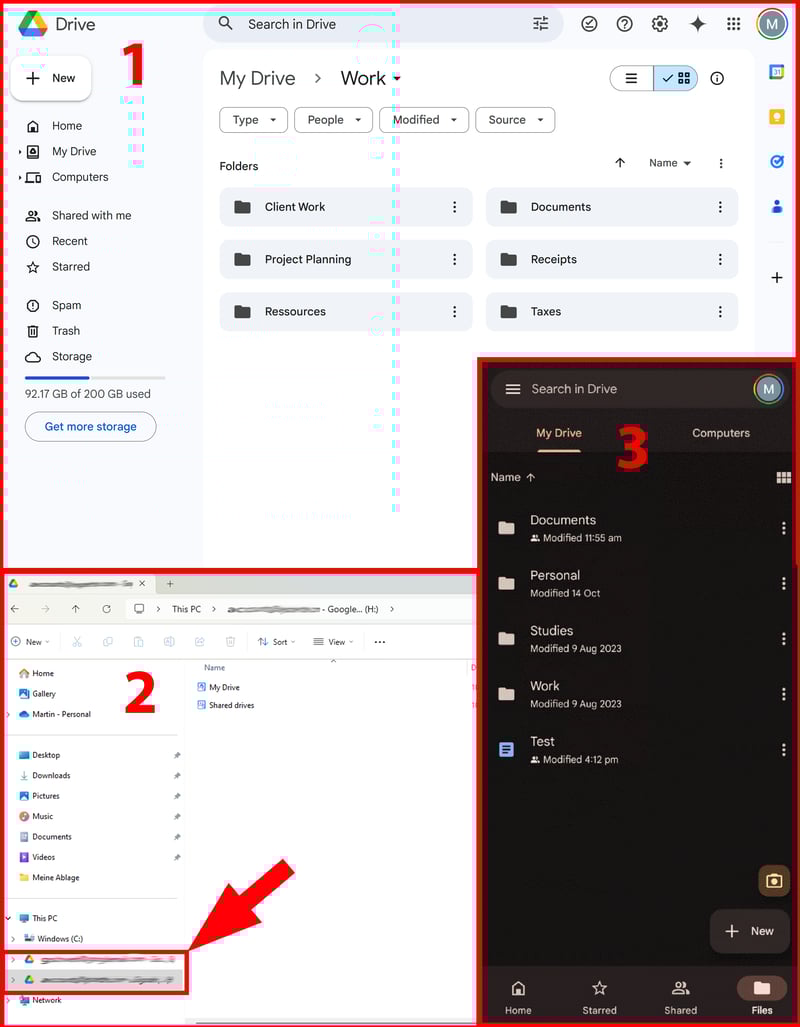
Most cloud storage services — such as Google Drive, shown here — offer all three options: browser, desktop, and mobile app.
You Can Expand Your Storage Flexibly
Another major advantage of cloud storage is scalability. Physical drives eventually fill up, forcing you to delete files or buy new hardware. With cloud storage, expanding capacity is effortless: you can upgrade your plan and add more space in just a few clicks.
This also means you only pay for the storage you actually need. Most providers offer tiered plans, from free starter options with a few gigabytes to plans with multiple terabytes for larger data needs.
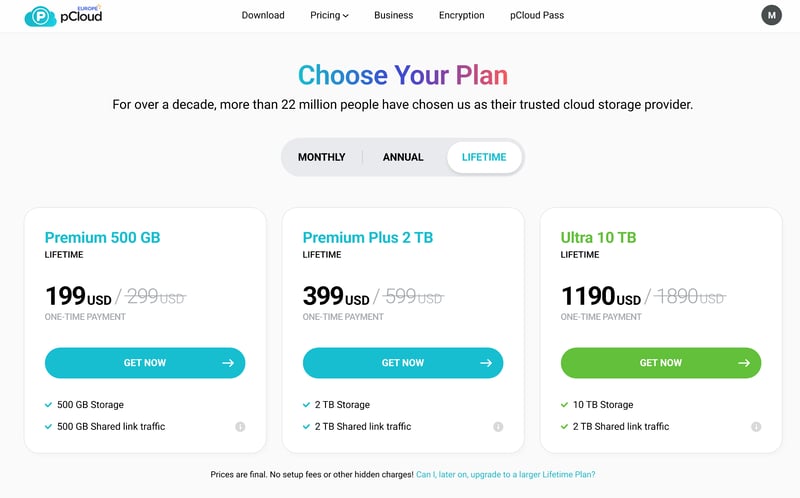
How much storage space do you need?
You Can Easily Share Data With Others
Sharing files by email quickly becomes messy: every attachment creates yet another version, and before long, nobody knows which one’s current.
Cloud storage solves that problem. Instead of emailing files, you simply share a link, so everyone can access the same version. Any changes made are instantly saved for all users, eliminating version chaos and keeping everyone aligned.
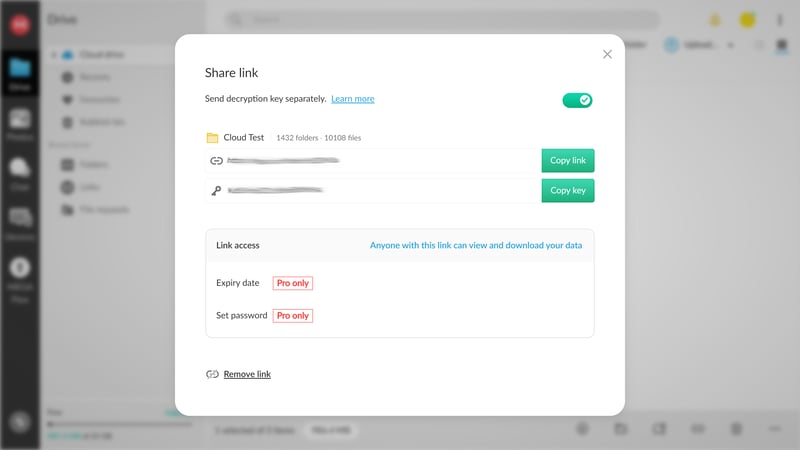
You can share your files with others in just a few clicks.
You can also set permissions and access levels, for example, allowing others to view and download files or giving them editing rights. This ensures full control over who can access and modify your data.
You Can Collaborate on Documents in the Cloud
With many cloud services, collaboration goes beyond file sharing — you can edit documents together in real time. Multiple users can open the same document, make changes simultaneously, and instantly see each other’s updates. Comments and notes make it easy to discuss content directly within the document.
Most services also keep detailed version histories, so you can track who changed what and when, or restore earlier versions if needed. This eliminates the endless email back-and-forth and ensures everyone works from the same file.
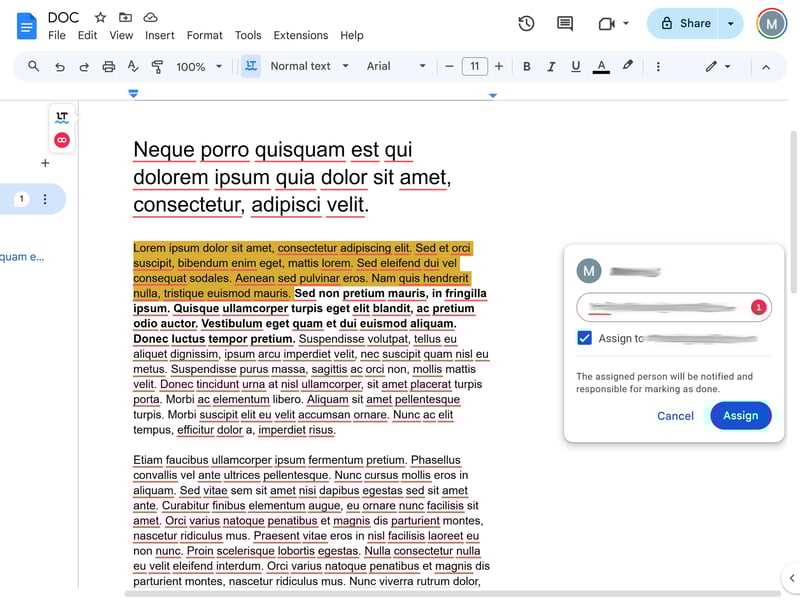
You can work on your files directly in the cloud.
The best-known examples are Google Drive and Microsoft OneDrive, which are tightly integrated into their respective office suites (Google Workspace and Microsoft 365). But many other cloud storage providers now offer similar collaboration tools.
You Have Additional Protection for Your Data
If your laptop fails or you lose a USB stick, your files are often gone for good. But when stored in the cloud, your data remains accessible, no matter what happens to your device.
Most providers store your files redundantly across multiple servers and data centers. This safeguards your data even if one system fails. Many services also offer versioning, allowing you to restore previous versions of a file if something gets deleted or overwritten.
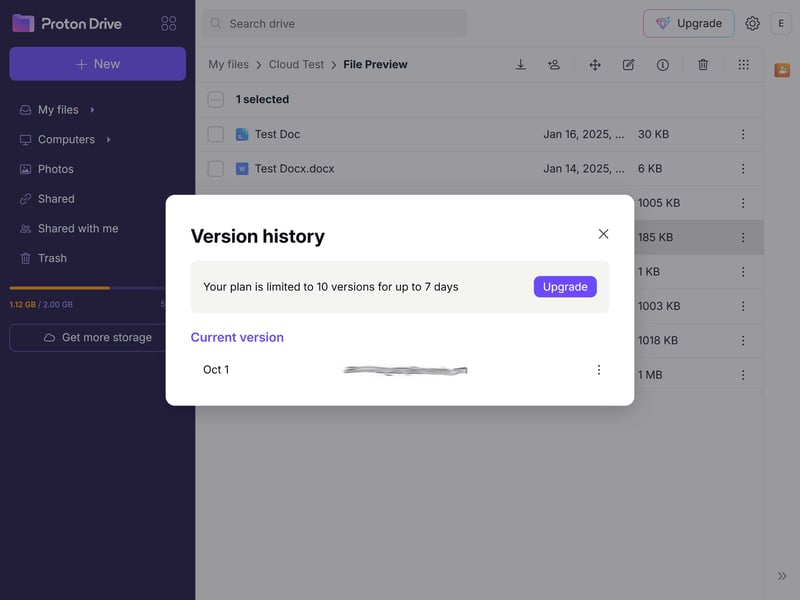
It's easy to restore old file versions.
Cloud storage is also ideal for photos and videos: smartphones often back them up automatically, so even if your device is lost or damaged, your pictures stay safe.
However, don’t confuse cloud storage with cloud backup — they serve different purposes:
Cloud storage is mainly for storing, syncing, and sharing files. Changes are applied immediately: if you delete a file, it’s removed from the cloud too (after a short grace period).
Cloud backup regularly creates complete copies of your data. This allows you to restore your entire system to a previous state, even if files have been lost or overwritten since.
For critical data, you shouldn’t rely on cloud storage alone. It’s best to combine it with a proper backup solution. One widely recommended approach is the 3-2-1 rule:
Keep three copies of your data. Store them on two different media (for example, cloud + external hard drive). Keep one copy off-site, such as with a dedicated cloud backup service. This way, your data stays protected even in worst-case scenarios like loss, hardware failure, or malware attacks.
You Don't Have to Worry About Hardware Wear
USB drives can get lost, hard drives wear out, and external storage devices eventually fail.
Cloud storage takes that burden off your shoulders. The provider manages all the hardware behind the scenes. Your files stay accessible without you having to replace failing drives or worry about how long your devices will last.
What Are the Potential Drawbacks of Cloud Storage?
Cloud storage is convenient, but like any online service, it’s not entirely risk-free. Here are some of the main disadvantages to keep in mind:
You Need an Internet Connection
Unlike a traditional hard drive, cloud storage requires an active internet connection. While most apps let you cache files for offline use, you still need a stable connection to sync your data with the cloud.
Keep that in mind when working in environments with unreliable connectivity or when you know you’ll be offline for a while, for example, during a flight. USB sticks or external hard drives don’t have that problem: you can simply plug them in and access your files anytime, no connection required.
Privacy: Your Data Is Stored Elsewhere
Another drawback of cloud storage is the loss of direct control. Once you upload your files, they’re no longer stored physically on your own device, but on the provider’s servers.
That’s what makes the cloud so convenient and accessible, but it also means you have to trust your provider when it comes to how your data is handled and protected.
Privacy: Not All Cloud Providers Handle Data the Same Way
Not every cloud provider treats your data equally. Some, like Google and Microsoft, state in their terms of service that they may automatically analyze your files — for example, to personalize ads or improve their AI systems.

Google reserves the right to access your data.
If you plan to store sensitive information, it’s worth checking how your provider handles data privacy, what security standards they follow, and where their servers are located.
When it comes to privacy, not all clouds are built the same. The key difference: some services use end-to-end encryption (E2EE), others don’t.
With end-to-end encryption, your files are encrypted on your device before they’re uploaded. Only you (and anyone you share them with) can decrypt them, and even your provider can’t see what’s inside. That’s why it’s also called zero-knowledge encryption.
If privacy is a top priority, choose a provider that supports end-to-end encryption. Our cloud storage comparison lets you filter providers by this feature to find the best options for you.
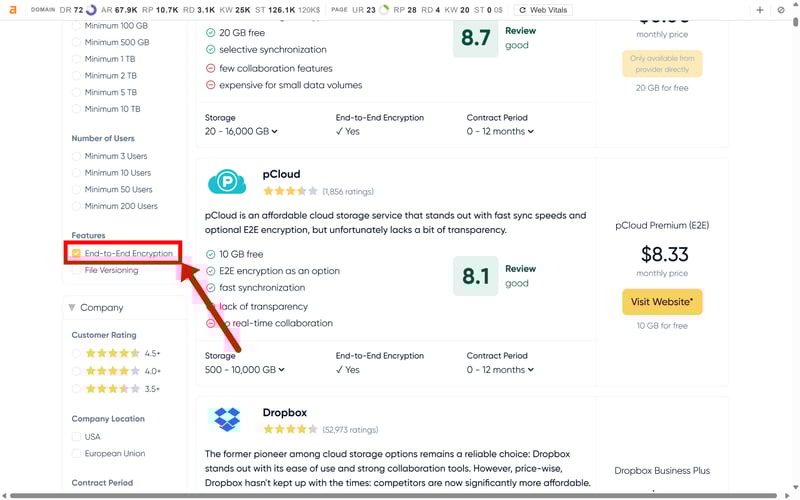
In our cloud storage comparison, you can search specifically for providers with E2E encryption.
Location & GDPR: Where Is Your Data Stored?
At the end of the day, the cloud is just someone else’s compute. Where that computer is located really matters. Not every provider lets you choose the storage location, but it can have big implications for privacy and compliance.
For businesses, storing data within the EU is often essential for meeting GDPR requirements. The location also affects who might legally access your data. In countries with broad government access rights — like the US or other members of the “Five Eyes” alliance — there's a higher risk of outside access.
In short, where your data lives determines which privacy laws apply and how well it’s protected. And since you can’t control every detail yourself, choosing a trustworthy provider is key.

Technical Security: How Well Is Your Data Protected?
Most major providers run state-of-the-art data centers with strict security standards, certified processes (such as ISO 27001), and regular independent audits. Your files are usually stored redundantly across multiple servers, ensuring that a hardware failure won’t automatically result in data loss.
That said, no system is completely immune to risk. Large platforms are attractive targets for hackers, and even established services have experienced data breaches in the past.
Still, security isn’t only about what happens on the provider’s side. If your own device is infected with malware, attackers can easily access your cloud files as well. That’s why it’s just as important to keep your devices secure: use strong passwords, keep your devices updated, and turn on two-factor authentication wherever you can.

You Have to Pay Regular Subscription Fees
A hard drive is something you buy once and can use for years. Cloud storage, on the other hand, is a service, which means ongoing costs.
Most providers work on a subscription model: you pay monthly or yearly for a set amount of storage. While many offer free starter plans, these are usually just small teasers with only a few gigabytes of space. If you need more, you’ll eventually have to upgrade to a paid plan.
Here’s how the providers we tested compare in terms of storage costs:
| Free | Cost for 100 GB | Cost for 500 GB | Cost for 2 TB | Cost for 5 TB | Cost for 3 users | Cost for 10 users | |
|---|---|---|---|---|---|---|---|
 | 20 GB | $8.67 | $8.67 | $8.67 | $17.33 | $15.60 | $52.00 |
 | 15 GB | $1.67 | $8.33 | $8.33 | $1.67 | $60.00 | |
 | 10 GB | $3.99 | $5.99 | $10.99 | $49.96 | ||
 | 10 GB | $4.17 | $4.17 | $8.33 | $49.58 | $23.97 | $79.90 |
 | 5 GB | $1.67 | $5.00 | $15.82 | $8.33 | $50.00 | |
 | 5 GB | $3.99 | $9.99 | $23.99 | $23.99 | $83.89 | |
 | 5 GB | $5.00 | $5.00 | $5.00 | $20.00 | $18.00 | $60.00 |
 | 3 GB | $11.99 | $11.99 | $27.49 | $57.00 | $190.00 | |
 | 2 GB | $9.99 | $9.99 | $9.99 | $72.00 | $16.99 | $150.00 |
 | 1 GB | $6.32 | $6.32 | $12.64 | $18.97 | $12.94 | $43.12 |
What About Lifetime Plans?
Some providers now offer what’s called lifetime cloud storage. You pay a one-time fee for permanent access to a fixed amount of space. On paper, this can pay off after just a few years — after that, it’s effectively “free” compared to a regular subscription.
But these offers come with a catch: you’re still buying a service, not a product. That means you remain dependent on the provider to keep things running smoothly. If the company goes out of business, changes its terms, or suspends your account, your “lifetime” storage could vanish overnight.

Which Cloud Storage Services Are the Best?
Cloud storage has its risks, but for most people, the advantages easily outweigh them. It’s simply hard to beat the convenience — whether for work, study, or everyday life, having your files available anywhere and easy to share makes things a lot simpler.
The real question is: which service fits your needs best? Prices, privacy standards, and collaboration tools can vary a lot between providers. We’ve tested and compared some of the most popular options. Here’s our full ranking, with links to detailed reviews for each service:


There's No Way Around the Cloud
Cloud storage has become part of everyday life — and for good reason. Having your files ready anywhere, anytime makes work and collaboration effortless. Once you’ve experienced that convenience, it’s hard to imagine working without it.
But not every service is the same. Prices, privacy standards, and features vary widely, and choosing the right one makes all the difference. We’ve tested the most popular cloud storage providers to help you find the service that truly fits your needs.