Computer Virus: What Is a Virus and How Can You Protect Yourself?


Is your computer acting strange? If programs respond slowly, files go missing, or error messages pop up, a computer virus could be the cause. But it doesn't have to be. So what's really going on, and what should you do?
We explain what a computer virus is and how it differs from other types of malware. You'll learn how infections happen and what warning signs to look for. We also cover which protective measures make sense and how to respond if something goes wrong. With a few simple habits, you can significantly reduce your risk.
A computer virus is malware that modifies existing files. It spreads when you open infected files or run compromised programs.
Common infection paths include email attachments, unsafe downloads, and macros. Macros are small programs embedded in files that automatically run commands when you open them.
If your computer suddenly behaves strangely (running more slowly, programs crashing, or files changing), it could point to an infection. Modern viruses often remain undetected for extended periods.
You can significantly reduce your risk by keeping your system up to date, being careful about which files you open, and creating regular backups. Antivirus software can provide an extra layer of protection.


What Is a Computer Virus?
A computer virus is a type of malware that attaches itself to other files or programs and replicates when you run them. It typically activates only when you open an infected file or run a compromised program. From there, it can spread further and damage your system.
Modern viruses rarely aim for pure destruction. Instead, they often try to take control of your system, spy on your data, or prepare the ground for future attacks. Many viruses work quietly in the background, trying to stay undetected for as long as possible.
What Types of Computer Viruses Are There?
Computer viruses differ mainly in where they hide and how they get activated. Here are the most important types:
File viruses
File viruses infect executable files or programs. When you run the affected file, the virus activates. This classic type of virus still appears today, especially in software from untrusted sources.Boot sector viruses
Boot sector viruses embed themselves in the startup area of a storage device. They activate when you turn on your computer, before the operating system fully loads. Modern security measures have made this type less common, but it's not completely gone.Macro viruses
Macro viruses hide in documents, such as word processing or spreadsheet files. They exploit built-in macro features (small automations within a document) to run malicious code. Documents that require you to manually enable macros are especially risky.Script and email viruses
These viruses often spread through email attachments or links. When you open them, a script runs that activates the virus or downloads additional malware. These emails are often designed to look completely legitimate.
How Do Computer Viruses Differ From Other Malware?
The term "virus" is often used loosely in everyday language. But a computer virus is just one of several types of malware. Here's how the main malware types differ:
Computer virus
A virus modifies existing files or programs. It usually needs you to take an action to become active. Without opening or running a file, it often stays dormant.Trojan
A Trojan disguises itself as harmless or useful software. Once installed, it gives attackers access to your system or downloads additional malware. It doesn't typically spread on its own.Worm
A worm spreads on its own through networks. It doesn't need infected files or any action from you. Security vulnerabilities are often enough.Ransomware
Ransomware encrypts your files or entire system. Then it demands a ransom to unlock them. The damage is usually immediate and severe.
What Damage Can a Virus Do to Your Computer?
The effects of a virus infection can vary widely. Some damage shows up right away, while other problems only appear later. Common consequences include:
changed or deleted files
a noticeably slower system
crashes or malfunctions in programs
But it often doesn't stop there. A virus can also serve as an entry point for further attacks, download additional malware, or open so-called backdoors. This can give attackers ongoing access to your system or sensitive data.
How Does a Computer Virus Get on Your Device?
Computer viruses rarely end up on a system by accident. In most cases, there are clear infection paths that keep showing up. They exploit everyday situations and familiar user habits.
The most common ways infections happen include:
Email attachments, such as invoices, job applications, or fake shipping notifications
Downloads from unsafe sources, such as free software or pirated content
Compromised websites that run malicious code in the background without you noticing
USB drives and external storage devices, especially from unknown sources
Many of these methods seem harmless at first glance. That's exactly what makes them so dangerous.
The good news: Technical protection against viruses is pretty solid today. However, it can't prevent every careless or reckless action. Human error remains the most important factor in virus infections.
In practice, infections usually happen when warning signs are overlooked or ignored. This could be due to time pressure, distraction, or confusing alerts. Attackers know this and design their emails and websites to look as believable as possible. They also create a sense of urgency to pressure you into acting quickly. The more convincing the scenario, the higher their success rate.
How Do You Recognize a Computer Virus?
A virus infection isn't always immediately obvious. Many malicious programs work quietly in the background and try to stay hidden for as long as possible.
Still, there are typical signs that may point to a problem. Common warning signals include:
A sudden, noticeable slowdown of your system
Unexplained pop-ups or warning messages
Programs that crash for no apparent reason
Changes to files or settings that you didn't make
These symptoms aren't definite proof of a virus. They can have other causes, such as faulty updates or software issues. However, if several of these signs appear at once or keep recurring, it's worth taking a closer look at your system.
Why Do Viruses Often Go Unnoticed for So Long?
Modern viruses are designed to operate as quietly as possible. They run in the background and avoid actions that would immediately draw attention. Often, the actual damage only becomes visible later, such as after an update or at a specific time.
On top of that, many users initially blame minor irregularities on software problems or a slow system. This gives the virus extra time to spy on data, download additional malware, or dig deeper into the system.
How Do You Protect Yourself From Computer Viruses?
There's no such thing as complete, 100% protection against viruses. However, you can significantly reduce the risk by combining technical safeguards with smart behavior.
Practical Everyday Protection Measures
Many virus infections happen because of everyday, avoidable mistakes. By following a few basic rules in your online routine, you can limit the risk of coming into contact with a virus in the first place:
Keep your operating system and installed programs up to date.
Security updates close known vulnerabilities that malware specifically targets. If your software is outdated, these gaps remain open and attackers have an easy way in.Be careful with email attachments and unknown senders.
Only open attachments when you can clearly identify the sender and content. When in doubt, delete rather than click.Only download programs from trustworthy sources.
Use official manufacturer websites or well-known platforms. Free downloads from shady sources are a common way to get infected.
These measures close many typical entry points. Of course, some risk still remains. If malware does make it onto your computer, antivirus programs can help detect it early.
Antivirus Programs and Their Role
Antivirus programs detect known malware and monitor your system in real time. They alert you when suspicious files or activities appear. This doesn't replace caution, but it's a useful addition, especially if you use email and the internet frequently.
You don't necessarily need an external, paid tool for this. Modern operating systems already have built-in antivirus features. Both Windows and macOS include integrated security and anti-malware mechanisms that provide solid basic protection.


You can also use external antivirus programs to expand your protection based on your needs. Some of the most well-known providers include Bitdefender, Norton, Avast, and McAfee. They use different technical approaches but serve the same purpose: detecting known and suspicious malware early.
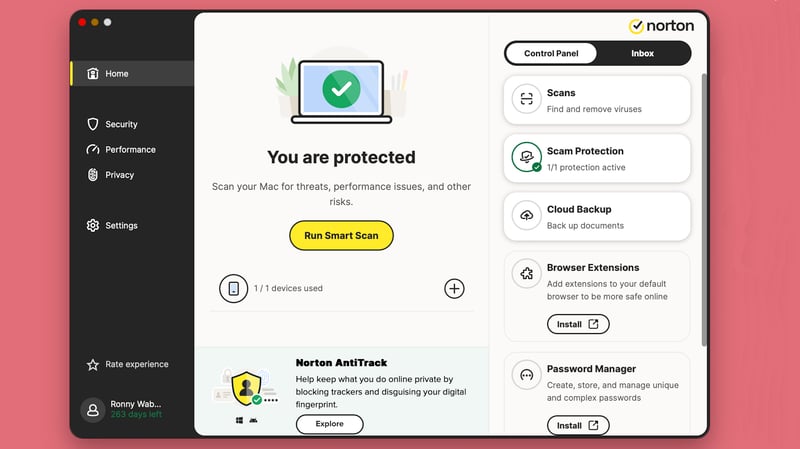
Security, performance, privacy: Norton's start screen
Backups as Your Last Line of Defense
Backups don't prevent infections. They prevent data loss. If you back up your files regularly, you can limit the damage even if a virus affects your system or deletes data. The key is to store backups separately from your main system.

What to Do if Your Computer Is Already Infected
If you suspect an infection, act quickly. The sooner you respond, the less damage you'll usually face. Follow these steps in order:
- 1.
Disconnect from the internet immediately
This prevents data from being sent out and stops additional malware from being downloaded. - 2.
Run a full virus scan
You can use the built-in security features of Windows or macOS, or an installed antivirus scanner. A full scan takes longer but also detects hidden threats. - 3.
Isolate any threats found
Move suspicious files to quarantine or let your security software remove them. Don't delete files manually without thinking it through.
These steps can stop the spread and limit initial damage.
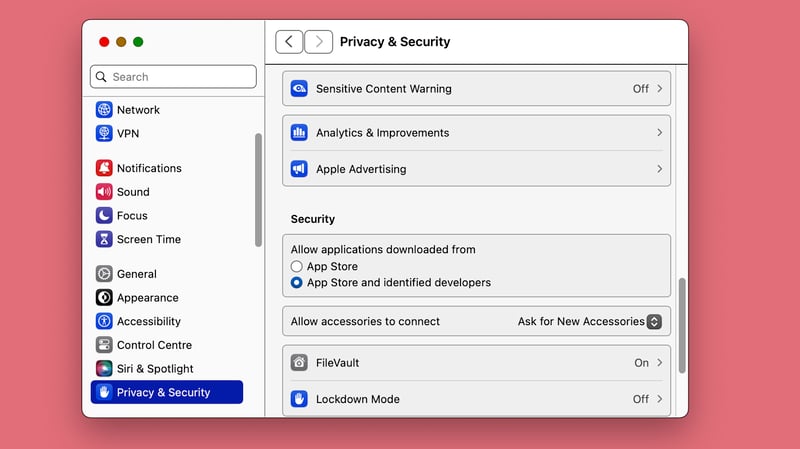
Modern operating systems already include basic security features.
When Do You Need Professional Help?
Not every infection can be fixed on your own. Consider getting professional help if:
important data has been lost or is no longer accessible
ransomware is involved or a ransom is being demanded
you use the computer for business or sensitive data is affected
Professional help means specialized IT service providers, such as computer repair shops, tech support services, or your antivirus provider's support team. They can thoroughly check your system, secure your data, and prevent further damage. Trying to fix things yourself in these situations can actually make the problem worse.
Conclusion: How Dangerous Are Computer Viruses Today?
Computer viruses remain a real threat. They typically reach your computer through email attachments, downloads, or compromised websites. They mainly exploit user carelessness. The best protection is basic caution: install updates regularly, open files deliberately, and carefully check attachments and downloads.
Technical safeguards also provide important protection. Modern operating systems already include built-in security features. You can supplement this basic protection with an antivirus program if needed. We've thoroughly tested and compared some of the best antivirus tools.