A WordPress theme is much more than just a combination of colors and fonts: It shapes how your website looks and feels and lays the foundation for a great user experience. That's why it's so important to pick a design that truly fits your needs.
We’ll introduce you to seven free WordPress themes that not only look good but also deliver solid technical performance, giving your website a strong foundation.


For many business websites and smaller online stores, free WordPress themes are more than enough. If you need more features later, you can always upgrade to a Pro version.
Performance and code quality matter more than a long list of prebuilt design elements. Your visitors expect a fast, reliable website above all else.
The right theme depends heavily on your specific use case. Some themes are minimal, others are feature-rich, and some are built for specific purposes (e.g., online stores).
Your theme's page builder compatibility determines your creative freedom. You can customize your pages using drag-and-drop builders like Gutenberg, Elementor, Beaver Builder, or similar tools.
Switching themes later is always possible, but it takes effort. It's better to choose a theme from the start that aligns with your long-term goals.
What Matters When Choosing a WordPress Theme?
Your theme is one of the building blocks of your WordPress website. When it's well coded, plugins tend to run more smoothly, and updates are less likely to cause unexpected issues. On the other hand, a bloated or poorly structured theme can lead to conflicts, display errors, or performance issues over time.
So don't let flashy designs distract you. Pay attention to the technical fundamentals instead:
Loading speed: A good theme loads as few unnecessary scripts as possible and avoids heavy libraries you may not even need.
Flexibility: Modern WordPress projects often rely on the Block Editor or page builders like Elementor. A good theme supports these tools without forcing its own layout restrictions or blocking your structure.
Active maintenance: Regular updates aren't a luxury. They are essential for security and compatibility. An outdated theme quickly becomes a risk.
As long as you keep these points in mind, you are free to choose a theme based on your personal taste. And there is no shortage of options. To make the decision easier, we've put together a list of our favorites.
The 7 Best Free WordPress Themes
Every project has different requirements. That's why our top 7 covers a range of use cases, from lightweight business templates to flexible all-in-one solutions.
All the themes listed here are available in the official WordPress directory. You can install, activate, test, and use them directly from your WordPress dashboard.
Astra: Fast, Flexible, Customizable
Astra has been one of the most widely installed themes in the official WordPress directory for years. Its success is not based on eye-catching designs, but on a clean technical foundation: the theme is lightweight and avoids unnecessary dependencies.

Astra's default design.
Page builders like Elementor, Beaver Builder, Brizy, and Gutenberg work seamlessly with Astra. There is a large library of starter templates you can use as a starting point. These templates save time when launching a project, but they do not replace custom design work.
What Are the Pros and Cons of Astra?
Excellent performance
Astra focuses on the essentials. Its lean structure keeps even high-traffic websites with lots of plugins running fast and stable.Page builder compatibility
The theme works reliably with all popular page builders. You can create custom page layouts without running into technical limitations. This gives you a lot of creative freedom.Large selection of starter templates
The available templates cover many industries and use cases, making it easier to get started. This saves a lot of time when building your website.Modular design
Features can be enabled or disabled as needed. You only use what you actually need, keeping your website lean and organized.Easy to extend with child themes
Astra is well-structured. Custom modifications can be applied easily using a child theme.
Learning curve for beginners
The sheer number of options in the Customizer can be overwhelming for beginners. It's easy to get lost in small tweaks and details.Some starter designs feel generic
The quality of templates varies. Some are visually polished and well structured, while others feel a bit too cookie-cutter.Advanced features require a paid plan
Extra layout options, advanced header elements, and expanded WooCommerce features are only available in the Pro version.
Who Is Astra Best For?
Astra is a great choice if you care about clean code and fast load times but want to build your own design. The theme stays out of the way of page builders and lets you customize layouts freely.
It's also a solid pick for agencies. Astra works well as a technical foundation for various client projects and offers access to a large library of templates.
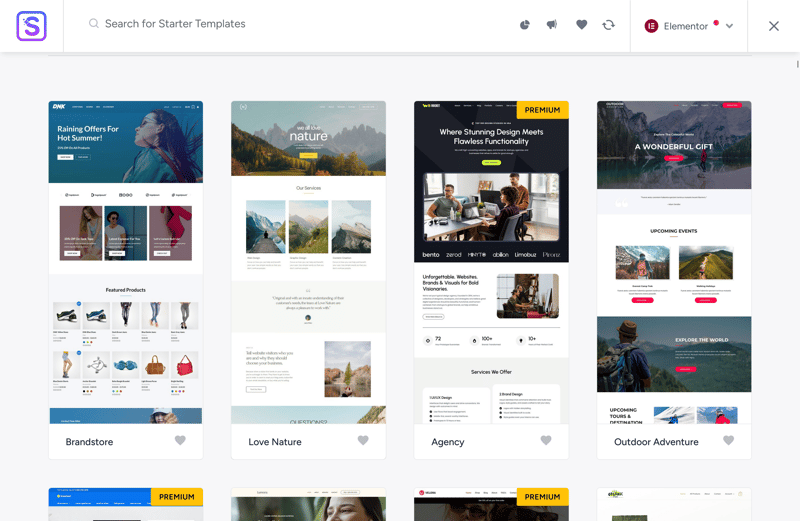
Many starter templates are available for free.
Astra is less suitable if you expect a fully polished premium design right out of the box. While many starter templates offer a solid starting point, fine-tuning and custom adjustments are almost always necessary.
What Does the Pro Version Add?
The Pro version starts at $69 per year and includes additional layout and design options. You get more header and footer elements, greater control over individual page sections, and additional WooCommerce features. According to the developer, paying customers also get 24/7 support.
For simple WordPress sites, these extras are usually not necessary. But if you're working on more complex projects or need deep control over structure and layout, Astra Pro can be worth the investment.
Neve: Mobile-Friendly and High-Performance
Neve by Themeisle is another lightweight WordPress theme built for speed and a clean technical foundation. Instead of relying on complex design elements, Neve follows a lean approach, similar to Astra, to keep load times as short as possible.
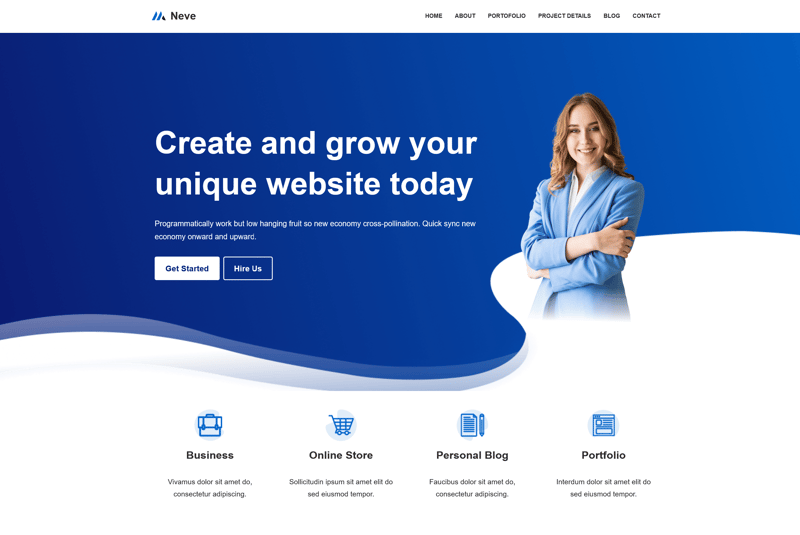
The Neve WordPress theme in its default version.
The free version offers a minimalist layout that you can easily expand using the Customizer or a page builder. Neve is fully compatible with the Block Editor as well as popular page builders like Elementor, Brizy, and Beaver Builder.
The development team releases updates regularly. Even the free version is actively maintained, which is not always the case with free themes.
What Are the Pros and Cons of Neve?
Strong foundation for SEO and accessibility
The theme is cleanly structured so search engines can easily crawl your content. At the same time, Neve supports common accessibility standards, making your site accessible to a wide range of visitors.High performance
Neve is built on lean code. This results in fast load times and stable performance, even when you are running multiple plugins at the same time.Great compatibility with page builders
Neve works seamlessly with page builders. You can create flexible layouts without the theme blocking elements or forcing rigid design constraints.Regular updates and support
The developers regularly release updates to ensure security and compatibility. This applies to the free version as well.Easy setup and configuration
The documentation is clear and guides you through the key steps quickly. You can configure the basics without having to dig through complicated menus.
Demos require additional plugins
Some starter templates rely on additional plugins. This increases the installation effort and adds to your site's technical complexity.Limited WooCommerce features
The free version only includes basic shop layouts for WooCommerce. Advanced features like wishlists, quick views, or additional product options are only available in Pro.Reliance on page builders
Without a page builder, your design options are limited. If you want to create custom layouts, you'll almost certainly need a tool like Elementor or a similar solution.
Who Is Neve Best For?
Neve is a strong choice for site owners who prioritize speed and a solid technical foundation. Small businesses and freelancers benefit in particular from its lightweight architecture. If you do not need complex layout structures, Neve is a strong foundation for your WordPress project.
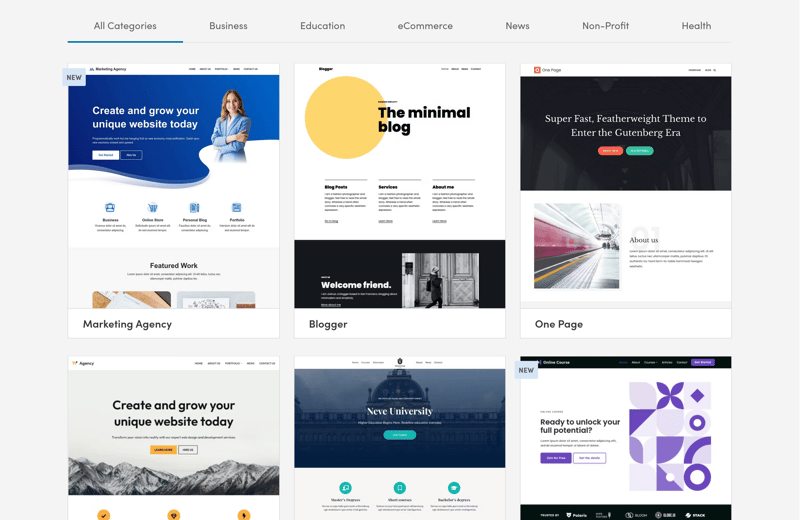
Free built-in Neve layouts.
Neve is less suitable for projects with complex navigation or, if you are only using the free version, for highly customized WooCommerce setups. If you are running an online store, the Pro version may be worth the investment.

What Are the Differences From the Pro Version?
Neve Pro starts at $69 per year. The paid version adds extra header elements such as sticky or transparent headers, as well as easy-to-integrate social icons. You also get custom layouts for categories and archives.
Like Astra, the free version is often sufficient for simpler websites. But if you need advanced header layouts, mega menus, or additional shop features, upgrading may make sense.
Blocksy: Modern, Block-Based Design
The feature-rich WordPress theme Blocksy is built entirely around the native WordPress Block Editor. Its built-in drag-and-drop header builder lets you create complex header structures directly within the Customizer. Multi-row layouts, transparent headers, and sticky variations can all be created without an additional page builder.
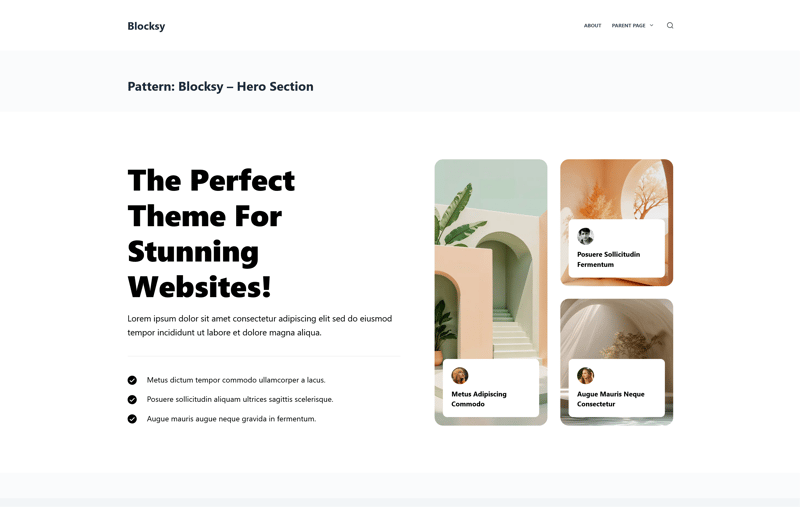
The default view of Blocksy.
The theme includes several built-in optimizations. These include lazy loading for images, schema markup for search engines, and extended WooCommerce features such as product quick views and various gallery layouts.
What Are the Pros and Cons of Blocksy?
Flexible design controls
Even the free version of Blocksy offers many customization options that other themes only provide in their Pro tier.Professional look without plugins
The designs look polished and modern right out of the box. You do not need extra plugins to achieve a professional appearance.Plenty of shopping features
For WooCommerce projects, Blocksy includes several useful features, such as product previews and an optimized cart. This reduces the need for additional plugins.Active development
The developers regularly update Blocksy to keep the theme compatible with the latest WordPress versions. This helps ensure compatibility and security.
More setup effort required
The large number of options takes some getting used to. Without a clear idea of your desired design, you can easily spend more time configuring than expected.Can get confusing with complex projects
When you combine many global and local design options, things can become difficult to track. Inconsistent settings can negatively affect the overall look and feel.Not a lightweight base theme
Blocksy isn't a bare-bones starter theme. It is designed for users who want to actively shape their site and prefer having many built-in or easily extendable features.
Who Is Blocksy Best For?
Blocksy is a great choice for users who want hands-on control over their site's design and value tight integration with the Block Editor. If you work with Gutenberg and prefer making layout changes directly in WordPress, this theme gives you a solid foundation.
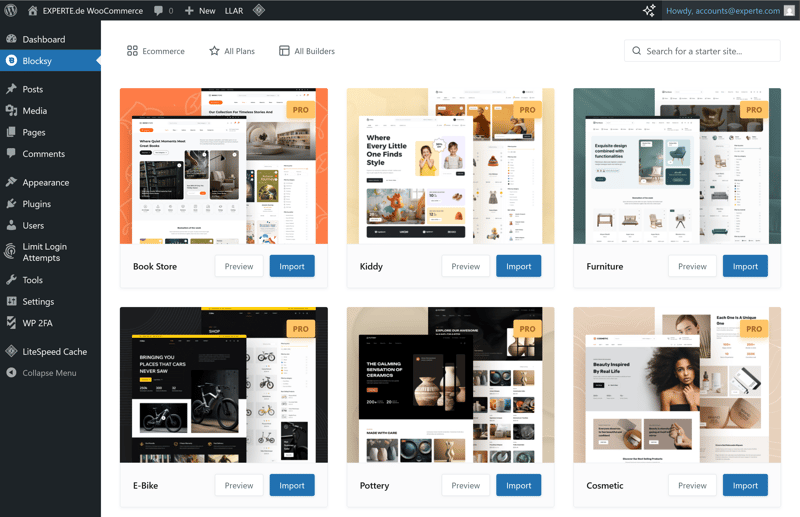
Templates for Blocksy.
Blocksy also works well for small and mid-sized business websites, especially if you need a custom header or flexible page structures.
For beginners, though, Blocksy might feel a bit overwhelming. If you are looking for the simplest possible solution or do not want to spend much time on configuration, there are lighter themes that offer a smoother start.
What Are the Differences From the Pro Version?
The Pro version starts at $69 per year and includes extra layout options, additional header elements, and more design modules. This includes advanced content blocks, additional WooCommerce features, and greater control over individual page sections.
Paying customers also get access to more starter demos. Some of these demos are more detailed and cover additional industries and use cases.
The free version is often sufficient for simple websites. But if you need very specific layouts or advanced store features, the Pro version offers significantly more creative freedom.
GeneratePress: Lightning Fast and Minimalist
GeneratePress is one of the cleanest free themes on the market from a technical standpoint. It’s built for performance and stability, largely thanks to its lean codebase. The trade-off is that its default look is fairly understated.
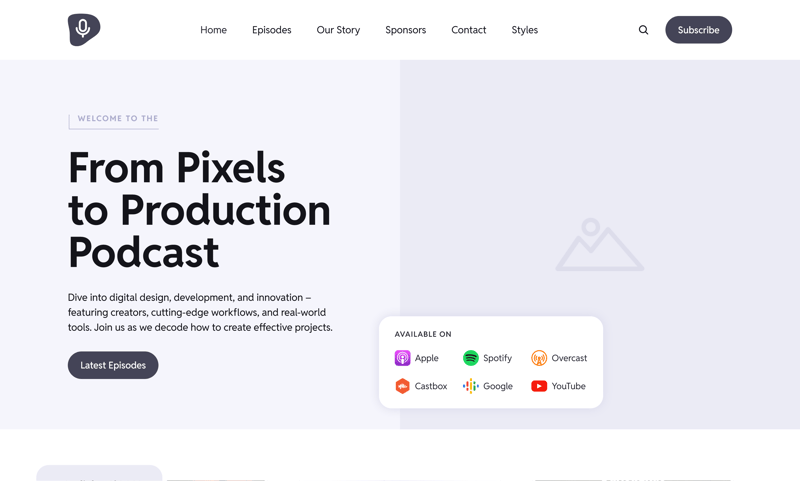
GeneratePress in its default view.
You get a simple foundation that you can build on using the Customizer, additional modules, or cust CSS. For more complex layouts, the Premium version includes modular extensions.
With this theme, your website remains clean, technically stable, and easy to customize over time.
What Are the Pros and Cons of GeneratePress?
Lean codebase
The small file size ensures fast loading times and stable performance, even on larger installations.Highly extensible
With modules, hooks, and child themes, you can customize GeneratePress to fit your exact needs. Rigid theme restrictions do not get in your way.Focus on accessibility
The theme meets common accessibility standards and uses structured HTML. This helps search engines index your content and improves usability.Large community and documentation
GeneratePress has an active user base and detailed documentation, making it easy to get started and continue building.
Plain default design
The default look of the free version is quite basic. You’ll need to invest some effort to make it your own.Many convenience features locked behind the Premium version
Advanced layout options, extra modules, and detailed design controls are only available in the paid version.Fewer ready-made design templates
Compared to more design-focused themes, the free version of GeneratePress includes fewer pre-built demo layouts.Minimal visual effects
GeneratePress deliberately avoids flashy design elements. If you want those, you’ll need additional plugins or custom code.
Who Is GeneratePress Best For?
GeneratePress is a strong choice for projects where control matters more than polished out-of-the-box designs. If you’re looking for a stable, high-performance foundation and are willing to handle layout and styling yourself, this theme is worth considering.
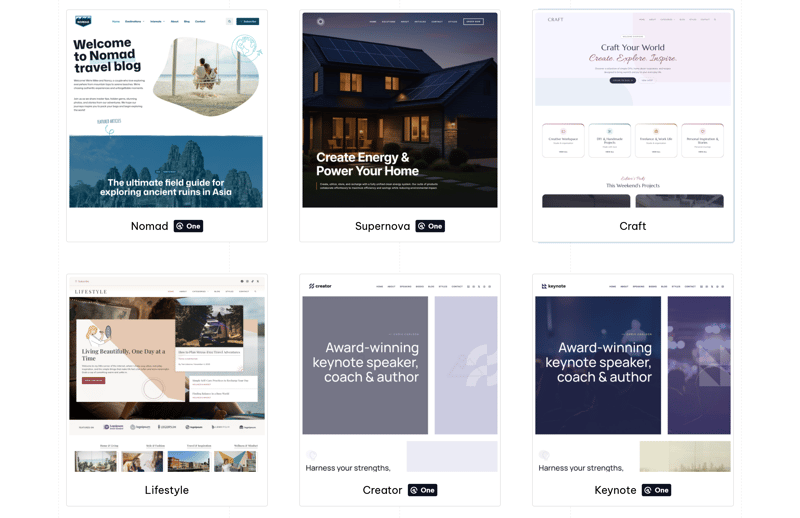
Pre-built templates for GeneratePress.
Developers and agencies will appreciate GeneratePress because it is easy to extend and does not impose rigid design constraints.
For beginners who don’t want to do a lot of customization, the theme might feel too bare-bones. If your goal is to get a website online quickly with a polished design, a more template-driven theme is likely a better choice.
What Are the Differences From the Pro Version?
The Premium version starts at $59 per year. It includes advanced layout and header options, hook elements for developers, and more detailed control over typography and colors.
With GeneratePress Premium, you can fine-tune individual sections of your pages using custom layout rules and enhanced navigation options. You also get access to over 60 starter designs that you can use as a foundation for your website.
Kadence: Business Theme With a Built-In Builder
Kadence is a modern WordPress theme with a strong focus on design flexibility and is well optimized for the block editor. Even the free version offers a surprisingly generous set of features.
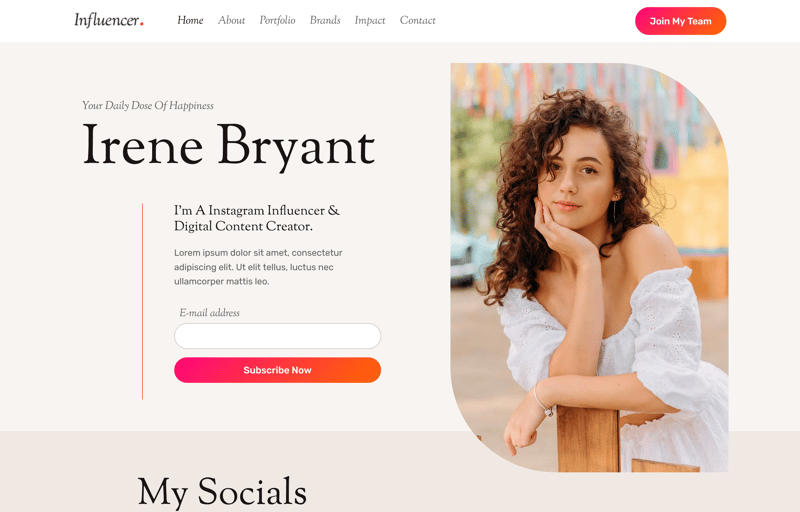
The Kadence business theme.
A standout feature is the built-in header and footer builder. You can create navigation areas with drag-and-drop, move elements freely, and define different layouts for desktop and mobile views.
Kadence also provides several layout options for WooCommerce users, even in the free version. You can customize product pages and shop archives without installing additional plugins.
What Are the Pros and Cons of Kadence?
Extensive design options
You get access to a wide range of layout and styling options even in the free version.Solid WooCommerce foundation
Kadence includes plenty of useful layout options for online stores in the free version. In many cases, additional plugins are not required.Tight Gutenberg integration
Kadence works seamlessly with the block editor. You can create and structure content directly in Gutenberg, so a separate page builder isn't necessary.Powerful header builder
Kadence allows you to design headers and footers directly in the Customizer. Elements can be placed freely and adjusted individually for different screen sizes.
Complex configuration
Kadence packs a lot of options into the Customizer, making it easy to feel overwhelmed.Heavy reliance on the Customizer
Many adjustments happen in the WordPress Customizer. If you prefer a purely block-based workflow or clearly separated layout structures, this approach may take some getting used to.Not a lightweight theme
Kadence is not a minimalist theme. It is packed with features and built for design flexibility. If you do not need all that, simpler alternatives are available.Advanced WooCommerce features require a paid plan
If you need deeper shop customization or additional sales features, you will quickly reach the limits of the free version.
Who Is Kadence Best Suited For?
Kadence is a strong choice for business websites, freelancer projects, and smaller online stores. It is designed for users who want plenty of design options right out of the box without needing to upgrade immediately to a paid version.
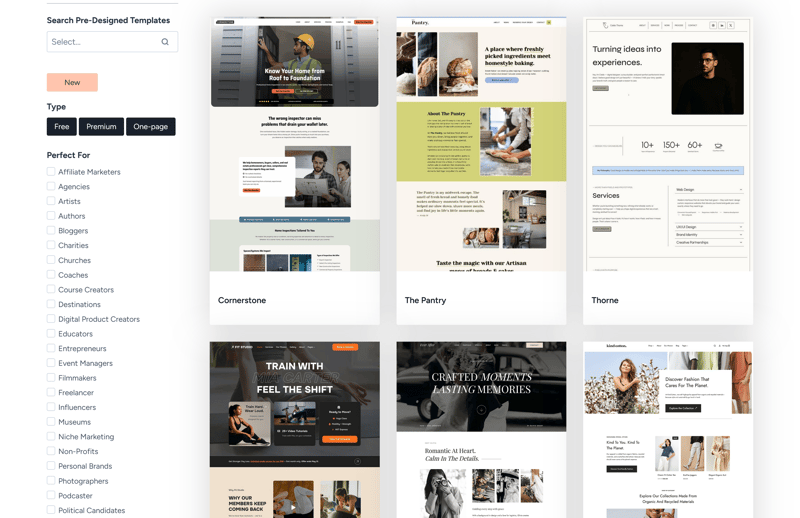
Over 50 free starter designs are available.
Kadence is less suitable for users who prefer a minimalist setup or want to keep configuration to a minimum.
What Does the Pro Version Add?
The Pro version starts at $69 per year and adds extra header elements, advanced layout options, and additional design modules.
For online stores, Kadence Pro enables more detailed customization of product pages and the entire checkout process. You also get significantly more control over typography and global design settings.
OceanWP: Versatile With a WooCommerce Focus
Like Kadence, OceanWP also provides a generous set of features in its free version. You get plenty of options for layout, navigation, and WooCommerce integration right in the theme.
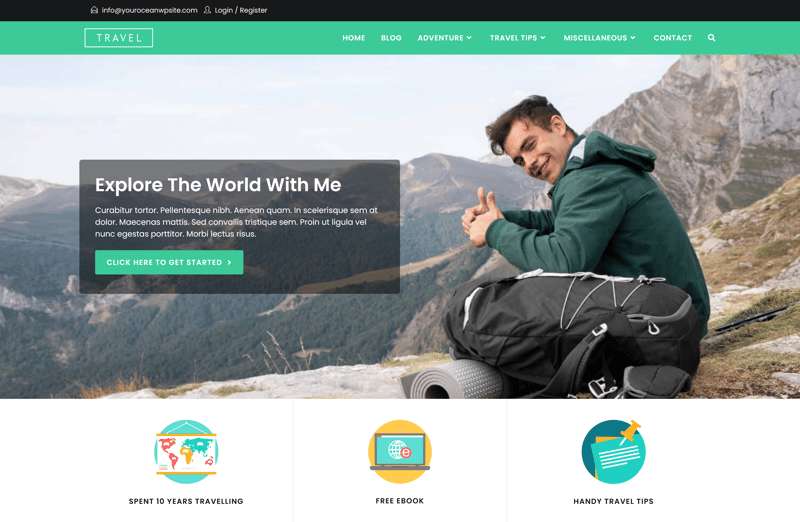
A variation of OceanWP.
All those features come with a large number of settings, though. If you use this theme, be prepared to spend some time getting familiar with it.
Ecommerce is one of its main strengths. OceanWP offers comprehensive WooCommerce support and includes additional options for product pages, the shopping cart, and checkout.
What Are the Pros and Cons of OceanWP?
Lots of shop features
OceanWP is particularly well-suited for WooCommerce stores. It offers more shop layout options and features than most other free themes.Highly versatile
This theme isn't limited to stores or business sites. It works well for a wide range of web projects, including larger-scale ones.No coding required for customizations
You can handle many layout adjustments directly in the backend. There is no need to write CSS to adjust navigation or page sections.Expandable through add-ons
OceanWP follows a modular approach. You can add features as needed instead of switching themes.
Complexity from feature overload
With so many options and settings, the setup process can quickly become overwhelming, especially for beginners.More bloat than lightweight themes
Compared to minimalist themes, OceanWP comes with noticeably more overhead. Depending on your setup, this can impact performance.Some features split into separate extensions
Certain useful features are packaged as separate add-ons. This increases management overhead and makes the initial setup more complicated.
Who Is OceanWP Best For?
OceanWP is a strong choice if you want maximum flexibility and need to combine different types of pages. Blogs, business websites, and WooCommerce stores can all be combined effectively within one theme.
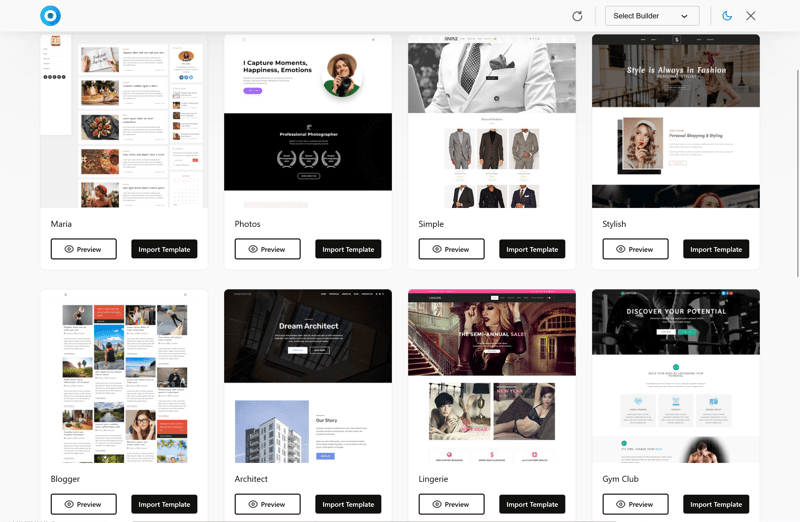
OceanWP offers a wide range of starter templates.
OceanWP is less suitable for lean or minimalist projects. If you prefer a stripped-down setup with minimal settings, a simpler theme is a better choice.
What Does the Pro Version Add?
The Pro version starts at $35 per year. It includes extra header styles, advanced WooCommerce options, and additional design modules. You also get more layout variations and additional features for navigation and content sections.
For smaller websites, the free version is often enough. But if you need specific shop features or want more control over your layout, upgrading to the Pro version is worth considering.
Hello Elementor: A Minimal Theme for Elementor
Hello Elementor is an ultra-lightweight base theme built specifically for Elementor. Unlike the other themes on this list, it does not come with its own design approach. It serves as a bare-bones foundation for the Elementor page builder, allowing you to design your website entirely from scratch.
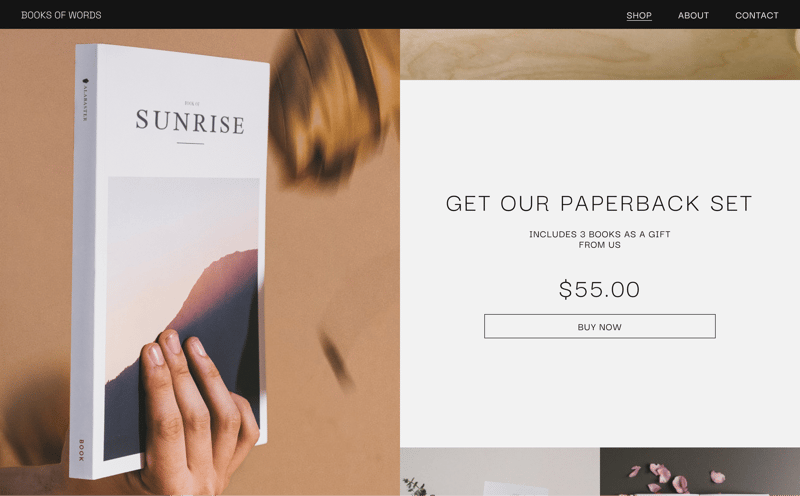
A sample design built with Hello Elementor.
You will not find preset styles, extensive layout options, or ready-made design elements. Hello Elementor is designed to stay out of the way and give the page builder full creative control.
What Are the Pros and Cons of Hello Elementor?
Ultra-lightweight base
Hello Elementor only includes the essentials. The installation remains lightweight and provides a clean foundation for custom layouts.Fast loading times
Thanks to its minimal feature set, performance is typically very stable, as long as you do not overload your site with too many plugins.Optimized for Elementor
The theme is specifically built for the Elementor page builder. Since both are developed by the same provider, conflicts between the theme and the builder are rare.Full creative freedom
Because there are virtually no design presets, you control the layout and style entirely yourself. The theme never gets in the way. You can also use starter templates if you prefer.
Locked into Elementor
Using Hello Elementor means committing to Elementor as your page builder. Switching to a different builder later requires additional effort.No built-in design options
Compared to other themes, you will not find layout, header, or blog settings. All design work happens inside the builder.No starter templates included in the theme
Pre-built layouts come from Elementor itself, not from the theme. Without those templates, you are starting almost from scratch.
Who Is Hello Elementor Best For?
This theme is only for users who want to build their entire website with the Elementor page builder. If you plan to control layout, spacing, typography, and page structure entirely within the builder, Hello Elementor gives you a neutral technical foundation without unwanted presets getting in the way.
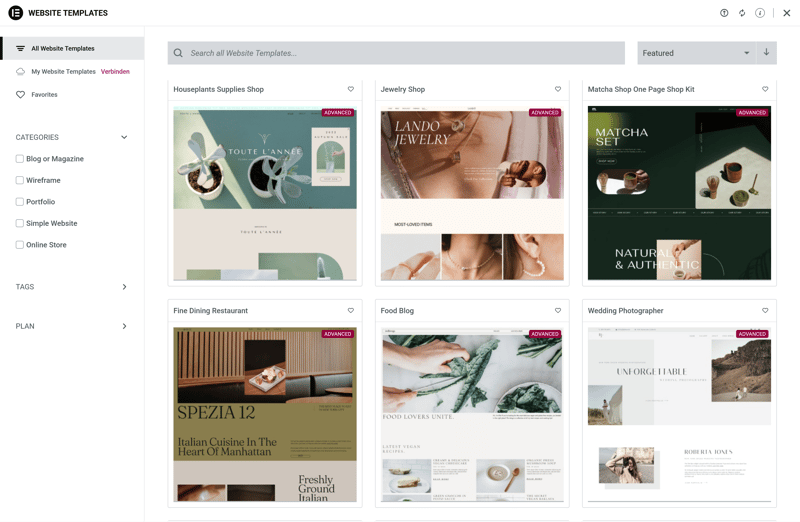
Elementor templates for the Hello theme.
For agencies and web designers, Hello Elementor is appealing because it provides full control over the front end. Since the theme itself adds almost no styling, conflicts between the theme and the builder are less likely.
What Does the Pro Version Add?
There isn’t a traditional Pro version of the Hello Elementor theme. Additional features come through Elementor Pro, the paid version of the page builder. It starts at $60 per year.
Elementor Pro adds extra widgets, theme builder features, a popup builder, and advanced WooCommerce elements. However, these upgrades only apply to the builder itself, not the theme.
Final Verdict: Which Theme Fits Your Needs?
The best WordPress theme for your site depends on your specific use case. A simple business website has different requirements than a large-scale online store.
The selection of themes is extensive, which is one of WordPress’s biggest strengths. From our perspective, these seven themes are all strong options:
Astra and Neve are strong all-rounders for anyone who wants flexibility.
Blocksy and Kadence are well suited for users who want hands-on control and extensive design options.
GeneratePress is a strong choice if clean code and fast loading times are your top priorities.
OceanWP is especially worth considering if you are building a WooCommerce store.
Hello Elementor is designed for Elementor users who want to build their entire website from scratch using the page builder.
For many projects, the free version of these themes is more than enough. The Pro versions become relevant once you need more layout options, additional store features, or other advanced features not included in the free tier.