What Is WordPress Hosting? How To Find the Right Provider


WordPress is the world's most popular website platform, so there's no shortage of hosting plans to choose from. But not everything marketed as "WordPress hosting" actually lives up to that claim.
In this guide, you'll learn what true managed WordPress hosting is, what benefits it offers, and how to find the right provider. We also look at alternatives like shared hosting, VPS, and dedicated servers.


WordPress hosting is more than just web space: it provides an environment specifically built for WordPress.
With managed WordPress hosting, the provider handles updates, maintenance, and security. No expert knowledge required.
Specialized support from WordPress experts helps with troubleshooting, questions, and performance optimization.
Shared hosting is affordable but only suitable for simple projects, while VPS and dedicated servers are more powerful but also more complex.
For most professional WordPress sites, managed hosting is the most practical and convenient option.
What Is WordPress Hosting?
WordPress hosting refers to hosting plans tailored to the technical requirements of the WordPress content management system. Options range from a simple pre-installation to a fully managed service.
Managed WordPress hosting stands apart from standard web hosting because you don't have to handle many technical tasks yourself. These include:
Pre-configured server environment
Your host ensures the correct software versions are already installed, so you don’t have to manually set up WordPress or configure the server.Automatic maintenance and updates
A good provider handles updates for WordPress, plugins, and server software in the background, reducing the risk of outdated software.WordPress-specific security measures
WordPress is a frequent target for attacks, which is why managed providers often include additional layers of protection.Support with WordPress expertise
If you run into issues or questions, you'll typically have access to support staff with deep WordPress expertise.
Without this level of WordPress support, you're responsible for every technical task, from configuration to ongoing maintenance. For beginners or solo business owners, that can quickly become time-consuming.
Not every plan labeled "WordPress hosting" is actually managed. Many budget options simply include a WordPress installer but do not cover maintenance, security, or performance optimization. A true managed service goes well beyond that.
Managed WordPress hosting also reduces the workload of day-to-day operations. The following sections show what that means in practice.
Technical Optimization for WordPress
WordPress is flexible, but it is not automatically fast. You either optimize your installation yourself or rely on managed WordPress hosting to handle it for you.
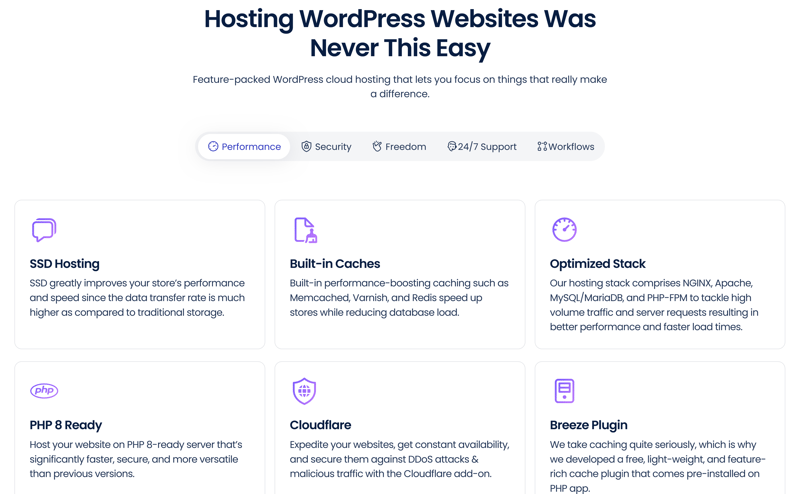
Examples of WordPress optimization from the provider Cloudways.
A key difference from basic web hosting is the server configuration. With managed hosting, you can expect several advantages right away:
Built-in caching
Caching stores frequently requested content so it loads faster. Server-side caching is generally more reliable than plugin-based solutions.Performance tuning
Hosting providers configure server-side settings to improve WordPress performance. This includes optimized database settings and adjustments to the server software.CDN support
Many plans support a content delivery network (CDN) that distributes static content across a global network, improving load times for visitors worldwide.
Optimized PHP and Database Settings
WordPress runs on PHP and a database. The right version and proper memory limits are important for both speed and security. With managed WordPress hosting, you can expect optimized PHP and database settings, including:
Component | Why it matters for WordPress |
|---|---|
PHP version | Newer versions are faster and more secure |
OPCache | Caches compiled PHP code to boost performance |
Memory limit | Prevents errors with resource-heavy plugins |
Database tuning | Ensures fast queries and stable performance |
A major advantage of managed hosting is that you do not need a technical background in performance tuning or caching. Everything runs in the background, freeing up time and resources for more important work, especially for beginners and small teams.
Maintenance, Updates, and Security
One of the main benefits of managed WordPress hosting is that the provider handles the ongoing technical maintenance of your website. This goes beyond simply keeping your site online and adds stability and protection.
Keeping everything updated is essential because:
WordPress itself is constantly being developed
Plugins and themes receive patches
The server software also needs to stay current
With a self-managed WordPress installation, updates can easily become a source of errors, especially if you have little or no technical expertise. Managed hosting automates this process and minimizes the risk of outdated components creating security vulnerabilities.
Regular Backups
Good WordPress hosting providers automatically create daily or even hourly backups of your site and store them on separate systems. Restoring your site usually takes just a few clicks and only a few seconds, even for beginners.
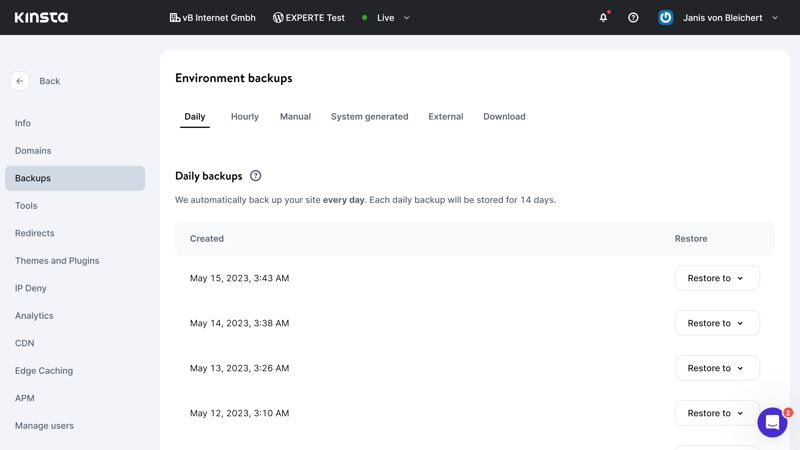
Restoring from backups at Kinsta.
Backups offer more than just basic data protection:
Backup feature | Technical meaning | Practical benefit |
|---|---|---|
Automatic backups | Backups run automatically in the background, usually daily or hourly | No manual backups needed, zero extra effort |
Versioning | Multiple restore points are saved | Roll back to a working version at any time |
One-click restore | Backups can be restored directly from the hosting dashboard | No technical knowledge required to restore your site |
Off-site storage | Backup data is stored separately from the main server | Protection against data loss from hardware or system failures |
Pre-update backups | A backup is created automatically before system or plugin updates | Issues caused by updates can be quickly reversed |
Security Measures Against Attacks
WordPress is an attractive target for hackers. Managed hosting addresses this with a comprehensive set of security measures. Depending on the provider and plan, you can expect protections like these:
Firewall filters for common attack vectors
Malware scanners for files and databases
Protection against brute-force login attempts
Rate limiting for API requests
SSL certificate for encrypted connections
Ideally, these measures are not only in place but actively maintained by the provider, significantly reducing your risk of an attack.
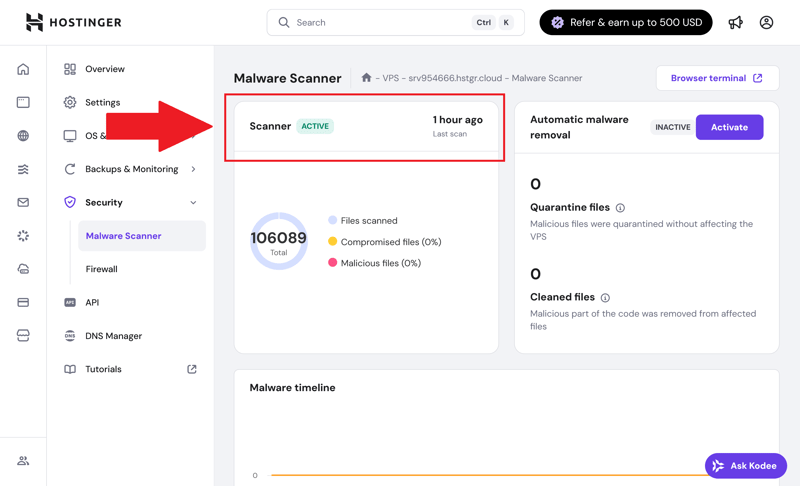
If an attack does occur, the specialized WordPress support team at your host can step in and assist.
WordPress-Focused Support
When it comes to WordPress-specific issues, support teams at general hosting providers can sometimes fall short. Managed WordPress hosts, on the other hand, employ staff specifically trained in WordPress.
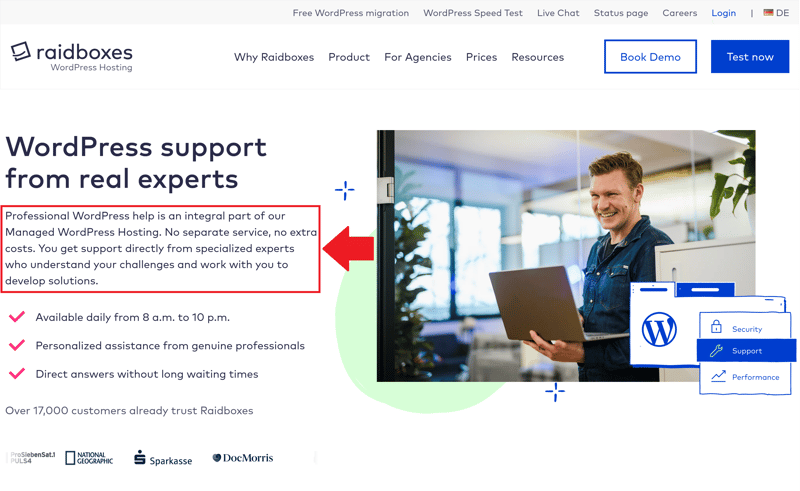
WordPress experts help resolve your issues.
They are better at identifying the causes of plugin conflicts, error messages, and performance issues, and can provide solutions without you having to spend hours researching on your own.
Help With Performance and Plugin Issues
Using many WordPress plugins can introduce various problems. Support can help you track down performance bottlenecks, suggest alternatives, or configure critical extensions.
Here are some of the things support can help you with:
Identifying performance bottlenecks
Recommending the right plugins
Resolving plugin conflicts
Managed WordPress hosting also means you always know who to contact when something goes wrong. Whether it is slow load times, a backup restoration, or a security alert, your host is your primary point of contact, reducing stress and giving you peace of mind.
When you do not have to dig through forums or YouTube tutorials for every technical issue, you save hours, which you can invest in content, clients, or projects.
Which WordPress Hosting Providers Are Out There?
We reviewed 14 managed WordPress hosting providers, revealing clear differences in features, support, value for money, and target audience.
The providers we tested cover everything from beginner plans to professional solutions for high-traffic websites. Review the comparison table to find the right provider for your needs.


Alternatives to WordPress Hosting
Depending on your goals and budget, a different hosting model may be a better fit. Shared hosting, a VPS, or a dedicated server are all viable alternatives to managed WordPress hosting.
The main difference lies in whether and how server resources are shared with other customers:
Shared Hosting
Shared hosting is the most affordable option. Multiple customers share a single physical server and its resources, such as CPU, RAM, and bandwidth. This type of hosting is best suited for small projects with low demands, such as personal blogs or hobby websites.
Very budget-friendly entry point
Quick and easy to set up
WordPress can often be installed with one click
Performance depends on the traffic of other websites on the same server
Few or no WordPress-specific features
Support is general and not WordPress-specific
You are responsible for updates, backups, and security
If you are starting with a small site and budget is your main concern, shared hosting can be sufficient. However, as your needs grow, you should switch to a more powerful option like a VPS sooner rather than later.
VPS or Dedicated Server
With a virtual private server (VPS) or a dedicated server, you gain significantly more power and control. You manage the system yourself, install your own software, and customize the configuration as needed.
full control over the system
dedicated server resources just for you
maximum flexibility
requires significant technical expertise
updates and security are your responsibility
misconfigurations can lead to downtime
higher costs for both the server and administration
These hosting types are geared toward experienced users with custom requirements or high traffic. If you lack technical expertise, avoid this option or work with a specialized administrator.
Find out which VPS is worth it in our comparison:

Hosting Alternatives Compared
Your choice of hosting model has a major impact on your website’s reliability, speed, and security. It also determines how much work you need to handle yourself. Shared hosting, VPS, and dedicated servers each come with different trade-offs:
Feature | Shared Hosting | VPS | Dedicated Server |
|---|---|---|---|
Price | very low | medium to high | high to very high |
Technical knowledge required | minimal | medium to high | high |
Performance | limited and inconsistent | high (depends on allocated resources) | very high (full resource control) |
Resource usage | shared with many users | virtually allocated | exclusive, just for you |
Scalability | minimal | good (depends on the provider) | limited (hardware-dependent) |
Maintenance and updates | handled by you or minimally by the host | your responsibility | your responsibility |
Best for | simple websites and blogs | growing projects, technical users | large, custom, or resource-heavy websites |
Conclusion: Managed Hosting Is Worth It for WordPress
Not all WordPress hosting is created equal. If you want to run your CMS professionally, choose true managed hosting. You benefit from a technically optimized platform, automated maintenance, built-in security, and a support team with deep WordPress expertise.
There are several alternatives, each with its own pros and cons. Shared hosting is inexpensive but only suitable for simple projects. VPS or dedicated servers offer maximum control but are best suited for technically skilled users. They provide more power, but you are responsible for everything else.
That is why managed WordPress hosting remains the best choice for most use cases. It combines performance, convenience, and security in a way that works for both beginners and professionals, allowing you to focus on content and strategy instead of server management.