WordPress Hosting vs. Web Hosting: What's the Difference?


If you want to build a website with WordPress, one of the first decisions you'll face is choosing the right hosting. Is a standard web hosting plan enough, or is specialized WordPress hosting worth the extra cost? The differences in performance, maintenance, security, and support are often greater than you might expect.
In this guide, you'll learn what sets both web hosting options apart, how they compare in practice, and which solution best fits your needs.


Web hosting is the general term for server space and resources on the internet. It can run any type of website, including WordPress sites.
WordPress hosting is a specialized hosting option built specifically for WordPress. The provider handles many operational, maintenance, and update-related tasks.
When it comes to performance, WordPress hosting often has the edge. Its targeted optimization leads to faster load times and more stable performance.
WordPress hosting also has an edge in security. Its protective measures are designed specifically to guard against common WordPress attacks.
In terms of price, standard web hosting is usually cheaper. However, WordPress hosting includes many features you'd otherwise have to set up yourself or pay extra for.
WordPress Hosting vs. Web Hosting: What's the Difference?
Let’s start with the basics: Web hosting is the general term for services that provide server space and resources, allowing you to run a website on the internet, whether you use a content management system (CMS) like WordPress or plain HTML.
WordPress hosting is a specialized form of web hosting built specifically for WordPress. With managed WordPress hosting, the provider handles tasks such as automatic caching, regular updates, and additional security measures. Standard web hosting plans usually don’t include these features, so you need to set them up or add them yourself.

With traditional web hosting, you get web space, a database, and usually a one-click WordPress installer. Maintenance, security, and technical management are all up to you.
WordPress hosting works differently. Providers like Kinsta or Raidboxes offer a hosting environment optimized for WordPress and handle many of these tasks for you.
In the following sections, you'll see exactly how these two hosting types compare in terms of performance, maintenance, security, and costs. This will help you make an informed decision about which option is right for your project.
Performance and Load Times
Standard web hosting typically uses a general-purpose server setup designed to support many different systems. There is usually no specific optimization for WordPress.
Web Hosting
Standard web hosting typically uses a general-purpose server setup designed to support many different systems. There's usually no specific optimization for WordPress.
In most cases, it's also shared hosting. This means multiple websites share the same server resources. If other sites on the server experience high traffic, this can noticeably affect your own site's load times and stability.
WordPress Hosting
WordPress hosting is technically tailored to the specific needs of WordPress. Providers rely on specialized technologies such as:
NGINX, LiteSpeed, HTTP/2,
object-based caching
or content delivery networks.
As a result, WordPress sites on these platforms often load faster.
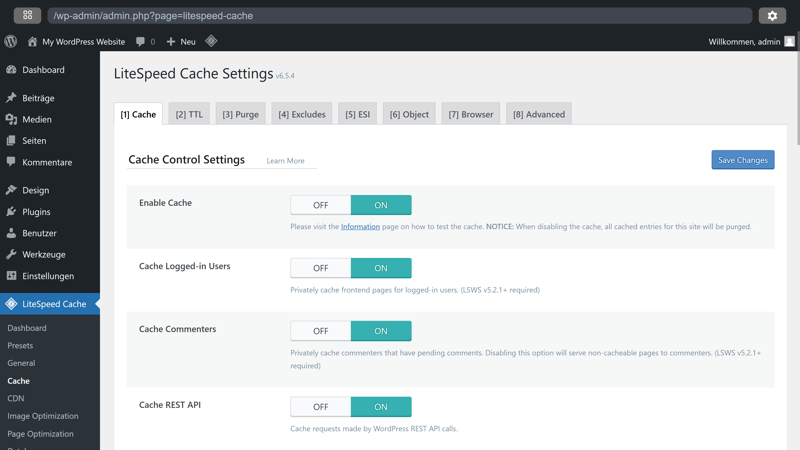
LiteSpeed settings for a WordPress installation.
With managed WordPress hosting, VPS or dedicated servers are standard. You either get your own virtual environment or a fully dedicated physical server. This helps keep performance stable even under heavy load.
Criteria | VPS | Dedicated Server |
|---|---|---|
Performance | High | Maximum |
Scalability | Flexible | Flexible, may be limited by hardware |
Isolation level | High | Maximum |
Best for | Agencies, growing projects | Large businesses, high-traffic sites |
Monthly costs | Mid-range | Premium |
Customization | Very flexible | Fully flexible |
If you run a website where fast load times and high availability matter, WordPress hosting provides a specialized technical foundation. This applies not only to online stores, but also to business websites, content platforms, or fast-growing projects.
A word of caution: even though many providers advertise optimized load times, actual performance depends on several factors, including the plan tier and server architecture. Some lower-cost managed plans rely on shared resources, which can lead to the same limitations as shared hosting.
Maintenance and Updates
Ongoing maintenance is essential for keeping your WordPress site secure and stable. This includes regular updates for the WordPress core, plugins (extensions), and themes (templates), daily backups, and routine tasks like database optimization or performance checks.
Web Hosting
With standard web hosting plans, you're responsible for all maintenance tasks yourself. That means:
You manually update WordPress, plugins, and themes
You create and manage your own WordPress backups
You handle technical stability and system maintenance on your own
If you miss an update, you risk compatibility issues and security vulnerabilities. Errors during the update process or data loss without a backup can quickly become serious problems. For beginners especially, this kind of upkeep is time-consuming and prone to errors.
WordPress Hosting
Managed WordPress hosting takes many of these tasks off your plate. Depending on the provider and plan, the following features are typically included:
Automatic updates for the WordPress core
Sometimes automatic updates for plugins and themes
Daily backups with easy restore options
Background technical monitoring
This saves you time and reduces the risk of downtime or security issues. You can focus on your content while the host takes care of the technical side.
Security and Support
When something goes wrong, you'll quickly notice how much support your hosting provider actually offers. There are major differences between hosting types in this area:
Web Hosting
Standard hosting plans usually only include basic security features: firewalls, automatic server updates, and an SSL certificate. They often lack protection against WordPress-specific vulnerabilities.
If your website gets hacked, you're typically on your own. That means dealing with security plugins or cleaning things up manually. Support teams at standard hosts usually offer generic advice rather than hands-on WordPress-specific help.
WordPress Hosting
Specialized WordPress hosting is built around a targeted security approach. This typically includes:
Protection against brute-force login attacks
Regular malware scans of your installation
Automatic blocking of insecure plugins
Monitoring of known security flaws in the WordPress core and extensions
You also get access to a support team that knows WordPress inside and out. They understand common error patterns, plugin conflicts, and CMS-specific issues. Instead of just pointing you to a backup, they can help solve the problem directly.
A mid-sized company is running an outdated contact form plugin. Attackers inject malicious code and redirect visitors to a fake login page. The breach only comes to light after customers report it.
The standard web host provides a backup but offers no real assistance. The company has to hire an external specialist to clean up the site, adding extra time and cost.
With specialized WordPress hosting, the built-in security system detects the threat early. The insecure plugin is automatically blocked, and a malware scan triggers an immediate alert. The site stays online, and the damage is prevented before it occurs.
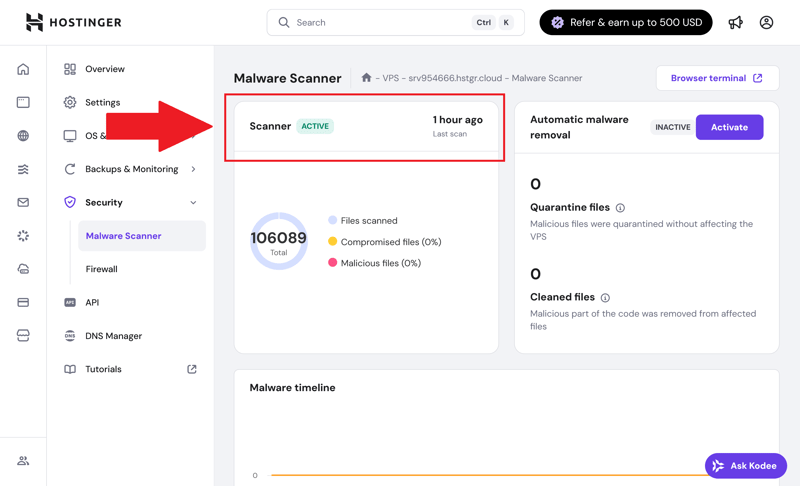
Hostinger’s malware scanner.
A specialized security system offers many benefits. However, some providers automatically intervene when they detect suspicious activity, for example by blocking plugins or restricting access. In some cases, this can cause limitations without giving you direct control.
Costs
There is also a clear difference in ongoing costs between standard web hosting and WordPress hosting. At first glance, web hosting looks like the cheaper option. But price tags do not tell the whole story.
Web Hosting
Basic shared hosting plans are available for just a few dollars a month. That sounds great, but they rarely include everything you need to run a WordPress site safely and reliably. Additional expenses can add up quickly, including:
Paid plugins for performance or security improvements
Third-party services for automatic backups or malware protection
Your own time spent on maintenance and troubleshooting
Outside specialists you may need to hire for technical issues
These hidden costs are easy to overlook at first. If you have to piece together all the necessary services yourself, you might end up paying more than you would for an all-in-one package. This is especially true when problems arise that you cannot fix on your own.
WordPress Hosting
Managed WordPress hosting typically costs more than standard web hosting, usually between $10 and $30 per month. However, many of the services you would have to pay for separately with web hosting are already included.
You may pay a bit more upfront, but you avoid extra spending on third-party tools and reduce the risk of downtime or security issues. You also save time because you do not have to handle technical details yourself.
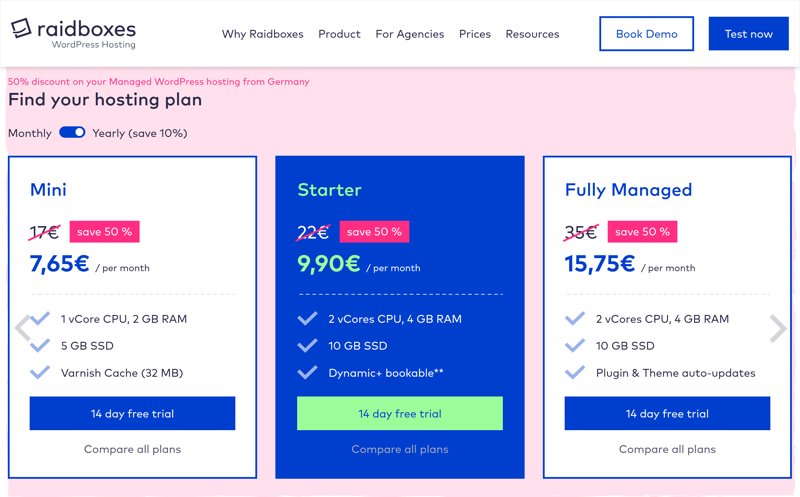
WordPress hosting prices at Raidboxes.
For business websites or managing multiple sites, the higher base price can pay off quickly. That is true not only financially, but also in terms of the added security and predictability.
But if you're running a small, low-traffic website, you might end up paying for features you don't actually need.
Which Is Better: Web Hosting or WordPress Hosting?
Whether standard web hosting or specialized WordPress hosting is right for you depends on your specific needs. Consider how complex your project is, how much technical work you want to handle yourself, and what matters most to you.
Standard web hosting is the better choice if you…
run a simple or personal website
want to start as cheaply as possible
can handle technical tasks, updates, and security on your own
need maximum flexibility when choosing a hosting provider
WordPress hosting is the better choice if you…
are building or running a professional WordPress website
prioritize speed, security, and convenience
prefer to hand off technical tasks like updates and backups
use your website for business and need reliable uptime
Still looking for a solid WordPress host? These hosting providers scored highest in our tests:


Conclusion: It All Comes Down to Your Needs
If you are running a WordPress website, the hosting decision really comes down to effort, budget, and expectations:
Standard web hosting is affordable and flexible, but it requires you to manage updates, security, and performance yourself.
Managed WordPress hosting takes many of those tasks off your plate. The server environment is optimized for WordPress, updates and backups run automatically, and security measures target the specific vulnerabilities WordPress is known for. The result is better stability, faster load times, and less maintenance work.
The good news is that your hosting choice does not have to be permanent. You can start with standard web hosting and switch to specialized WordPress hosting later as your project grows. What matters most is that your hosting provider fits your current needs. That is how you make sure your website stays stable, fast, and secure in the long run.