Cheap WordPress Hosting in 2026: 5 Providers With the Best Prices


You don't have to break the bank to run a WordPress website. Many hosts offer managed plans for just a few dollars a month, but price isn't everything. What really matters is value for money, especially since many providers hike their renewal rates significantly after the first year.
We compared 14 WordPress hosting providers to see which ones deliver the best value for money. Here is how you can find the best affordable WordPress hosting for your project.


Cheap WordPress Hosting: Our Top 5
Which providers offer the best value for money? Our top 5 list highlights the most affordable managed WordPress hosts—the ones that strike the best balance between price and features.
We didn't only look at the base monthly cost. We also checked how much storage and how many WordPress installations each plan includes.
WordPress.com: Starting at $2.75 per Month

WordPress.com* is the hosted service from Automattic, the company headed by WordPress co-founder Matt Mullenweg. Unlike the free, open-source software from WordPress.org, you don't have to manage hosting yourself—WordPress.com handles all the technical setup for you.
How much does WordPress hosting cost at WordPress.com?
WordPress.com offers a free plan that lets you launch a website under a provider subdomain.
However, if you want to use a custom domain, you'll need a paid plan. The most affordable tier is the Personal plan, available for just a few dollars a month, while the Premium plan also remains quite budget-friendly.
| Free | Personal | Premium | |
|---|---|---|---|
| Monthly price | $0.00 | from $2.75 | from $5.50 |
| Contract period (months) | 0 | 1 - 36 | 1 - 36 |
| Included | |||
| WordPress projects | 1 | 1 | 1 |
| Storage | 1 GB | 6 GB | 13 GB |
| Storage type | SSD | SSD | SSD |
| Domains | 0 | 1 | 1 |
| Email accounts | 0 | 0 | 0 |
| Databases | 1 | 1 | 1 |
| Bandwith | unlimited | unlimited | unlimited |
| SSL certificates | unlimited | unlimited | unlimited |
| Backups | |||
| Backup interval | Daily | ||
| Backup retention | - | - | 180 days |
| Manual backups | ✓ | ✓ | ✓ |
| Features | |||
| External domains | ✗ | ✓ | ✓ |
| SSH access | ✗ | ✗ | ✗ |
| CDN | ✓ | ✓ | ✓ |
| Cronjobs | ✗ | ✗ | ✗ |
| Staging environment | ✗ | ✗ | ✗ |
For a single WordPress site, WordPress.com ranks third among the cheapest providers in our comparison. Its higher-tier plans move into mid-range pricing, catering to users with more advanced requirements.
WordPress.com doesn't increase its rates after the initial term. You pay the same price upon renewal, making long-term hosting expenses much more predictable than with many other low-cost providers.
What does WordPress.com offer for the price?
The free plan is a great way to test out WordPress and comes with 1 GB of storage. However, because your site is restricted to a WordPress.com subdomain, it isn't suitable for professional projects.
The Personal plan increases storage to 6 GB, adds a free domain for the first year, and provides basic visitor stats. The Premium plan expands storage to 13 GB while adding Google Analytics integration, advanced analytics, and direct video hosting.
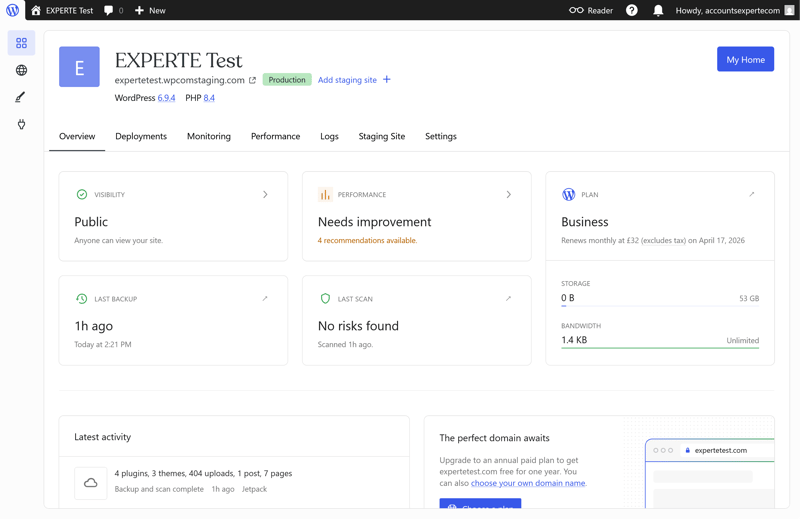
You can access the WordPress.com dashboard even on the free plan.
The Business plan is where performance takes a step up. It provides 50 GB of storage and unlocks key features required for professional WordPress sites, such as automated backups and a staging environment. The Commerce plan builds on this base by adding specialized tools for WooCommerce stores.
Regardless of the tier you select, WordPress.com restricts each subscription to a single website.
What are the pros and cons of WordPress.com?
Free plan available
WordPress.com features a completely free tier, allowing you to test the platform without any financial commitment.Transparent renewal pricing
Rates remain fixed when you renew, making ongoing cost estimation simple.Flawless uptime
During our six-week test period, WordPress.com achieved a 100% uptime record without a single outage.
Strict single-site limit
Every plan limits you to hosting just one public WordPress website. If you run multiple sites, you'll need to purchase a separate subscription for each.Advanced features locked behind the Business plan
Essential developer tools like staging environments, SSH access, WP-CLI, Git deployments, and automated backups are restricted to the significantly pricier Business tier.
Hostinger: Starting at $2.99 per Month

How much does WordPress hosting cost at Hostinger?
Hostinger is also one of the most affordable WordPress hosting providers. Its plans range from a budget-friendly starter option to more powerful packages for multiple websites with extra storage and resources.
Here’s a breakdown of all Hostinger plans:
| Premium | Business | Cloud Startup | |
|---|---|---|---|
| Monthly price | from $2.99 | from $3.99 | from $7.99 |
| Contract period (months) | 1 - 48 | 1 - 48 | 1 - 48 |
| Included | |||
| WordPress projects | 3 | 50 | 100 |
| Storage | 20 GB | 50 GB | 100 GB |
| Storage type | SSD | NVMe | NVMe |
| Domains | 1 | 1 | 1 |
| Email accounts | 2 | 5 | 10 |
| Databases | 10 | 150 | 300 |
| Bandwith | unlimited | unlimited | unlimited |
| SSL certificates | unlimited | unlimited | unlimited |
| Backups | |||
| Backup interval | Weekly | Daily | Daily |
| Backup retention | 45 days | 45 days | 45 days |
| Manual backups | ✓ | ✓ | ✓ |
| Features | |||
| External domains | ✓ | ✓ | ✓ |
| SSH access | ✓ | ✓ | ✓ |
| CDN | ✗ | ✓ | ✓ |
| Cronjobs | ✓ | ✓ | ✓ |
| Staging environment | ✗ | ✓ | ✓ |
Like many budget WordPress hosts, Hostinger raises its prices after the initial billing cycle. The increase is steeper than most, but even after the jump, Hostinger remains cheaper than many competitors—the price gap just isn't as wide anymore.
What does Hostinger offer for the price?
Hostinger’s entry-level plan is surprisingly feature-rich. It supports up to three WordPress websites and includes 20 GB of storage, automatic backups, and SSL certificates. Designed to handle up to 25,000 visitors per month, it's a solid choice for small sites and personal projects.
The Business plan takes things a step further. It supports up to 50 websites, offers 50 GB of storage, and handles up to 100,000 monthly visits, making it a great fit for larger site portfolios. You also get daily backups, a staging environment for testing changes, and AI tools such as the AI Troubleshooter.
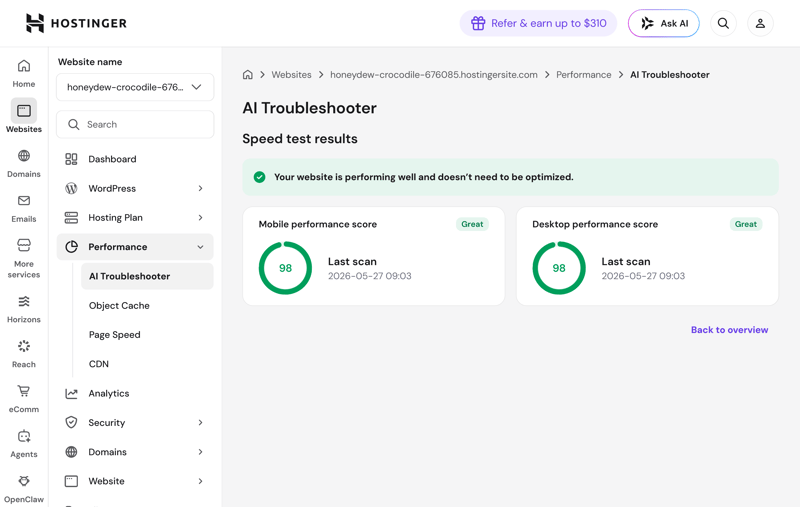
Starting with the Business plan, AI handles optimizations.
The Cloud Startup plan offers even more: 100 GB of storage, support for up to 100 WordPress websites, and capacity for up to 200,000 visits per month. That makes it ideal for larger, high-traffic projects.
Overall, Hostinger delivers great value. It’s one of the most affordable options for a single WordPress website, and if you run multiple projects, the generous website limits make the savings even more noticeable.
What are the pros and cons of Hostinger?
Low prices
Hostinger is one of the most affordable WordPress hosts in our comparison. Even its most expensive managed plan costs less than $10 per month during the initial term.Free malware removal
The built-in malware scanner doesn’t just detect malware. It also removes it at no extra cost, something many other hosts charge for.Fast and helpful support
In our tests, human support agents responded quickly and provided clear solutions. Many customers also rate the support highly.
High renewal prices
After the initial term, prices jump significantly. Even so, Hostinger remains one of the most budget-friendly providers overall.Only weekly backups in the cheapest plan
Hostinger’s Premium plan only creates automatic backups once a week. If you need more frequent restore points, you’ll have to handle additional backups yourself.No phone support
Hostinger doesn’t offer phone support. On top of that, before you reach a real person in live chat, you have to navigate past an AI assistant.
IONOS: Starting at $3.00 per Month

IONOS* is a German company and one of Europe’s largest hosting companies. Its product portfolio covers everything from WordPress and traditional web hosting to cloud services and dedicated servers.
How much does WordPress hosting cost at IONOS?
For single WordPress websites, IONOS ranks among the most affordable providers in our comparison. Plans start at very low rates and remain reasonably priced even as you scale up storage. However, IONOS becomes less attractive if you plan to host multiple sites, as each plan only covers a single domain.
You can find the full IONOS pricing overview here.
| Start | Grow | Boost | |
|---|---|---|---|
| Monthly price | from $3.00 | from $5.00 | from $7.50 |
| Contract period (months) | 1 - 36 | 1 - 36 | 1 - 36 |
| Included | |||
| WordPress projects | 1 | 1 | 1 |
| Storage | 25 GB | 50 GB | 75 GB |
| Storage type | NVMe | NVMe | NVMe |
| Domains | 1 | 1 | 1 |
| Email accounts | 1 | 5 | 10 |
| Databases | 1 | 1 | 1 |
| Bandwith | unlimited | unlimited | unlimited |
| SSL certificates | 1 | 1 | 1 |
| Backups | |||
| Backup interval | Daily | Daily | Daily |
| Backup retention | 7 days | 7 days | 7 days |
| Manual backups | ✓ | ✓ | ✓ |
| Features | |||
| External domains | ✓ | ✓ | ✓ |
| SSH access | ✓ | ✓ | ✓ |
| CDN | ✗ | ✗ | ✗ |
| Cronjobs | ✗ | ✗ | ✗ |
| Staging environment | ✗ | ✗ | ✗ |
IONOS raises prices steeply after the first term. Renewal costs jump significantly, especially on the Grow plan, so make sure to check the regular rates that kick in after your initial contract ends.
What do you get for the price at IONOS?
All plans come with fast NVMe SSD storage, unlimited bandwidth, and automatic WordPress updates. You also get a free domain for the first year and an SSL certificate included. Even the cheapest tier covers all the essentials.
The Start plan gives you 25 GB of storage, one email inbox, and automatic backups. IONOS also scans your site for known security vulnerabilities and malware. The Grow plan doubles the storage to 50 GB and includes five email inboxes.
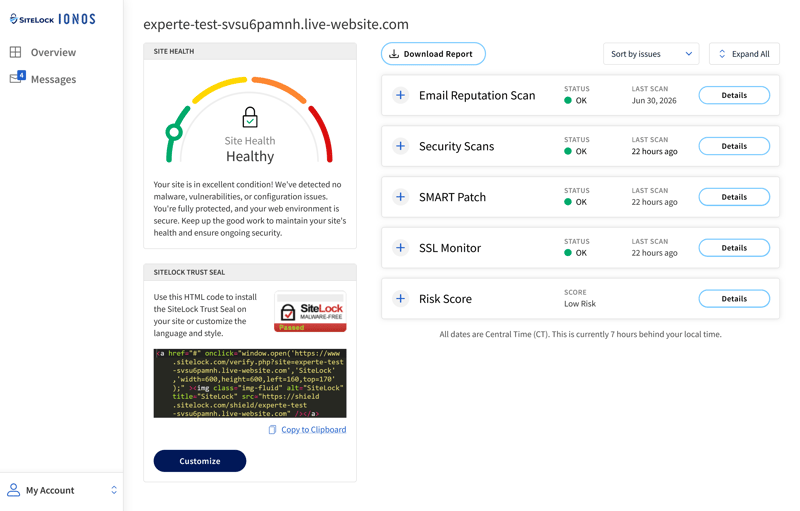
IONOS shows you the health status of your website.
The Boost plan increases storage to 75 GB and bumps you up to ten email inboxes, while the Ecommerce plan offers 100 GB of storage alongside dedicated features for WooCommerce online stores.
Overall, IONOS provides generous storage space for single WordPress sites at a very competitive price point.
What are the pros and cons of IONOS?
Low prices for single websites
IONOS is one of the cheapest choices in our test for hosting a single WordPress site, offering 25 GB of storage for just a few dollars a month.Flexible update management
You can control automatic updates for WordPress core, themes, plugins, and PHP versions independently. This gives you granular control over which parts of your website update automatically.
High renewal prices
Once the initial promo period expires, rates increase substantially, particularly for the Grow plan. Be sure to evaluate long-term renewal rates rather than just the intro pricing.Weak performance
IONOS struggled in our performance benchmarks. Across page loading speeds, TTFB latency spikes, and overall uptime, IONOS finished near the bottom in three out of four testing metrics.Sluggish dashboard and aggressive ads
The main IONOS Control Panel feels sluggish to navigate, and the provider aggressively pushes its paid add-ons with intrusive upsell banners.
Bluehost: Starting at $3.99 per Month

How much does WordPress hosting cost at Bluehost?
Bluehost stands out as the most budget-friendly provider among the 14 WordPress hosts in our roundup. Its offerings stretch from a low-cost entry plan to robust multi-site packages with increased storage, delivering strong overall value for a variety of project requirements.
Here’s an overview of all Bluehost plans:
| Starter | eCommerce Essentials | Business | |
|---|---|---|---|
| Monthly price | from $3.99 | from $3.99 | from $6.99 |
| Contract period (months) | 1 - 48 | 1 - 48 | 1 - 48 |
| Included | |||
| WordPress projects | 10 | 100 | 50 |
| Storage | 10 GB | 100 GB | 50 GB |
| Storage type | NVMe | NVMe | NVMe |
| Domains | 1 | 1 | 1 |
| Email accounts | 5 | unlimited | unlimited |
| Databases | - | - | - |
| Bandwith | unlimited | unlimited | unlimited |
| SSL certificates | unlimited | unlimited | unlimited |
| Backups | |||
| Backup interval | Weekly | Weekly | Weekly |
| Backup retention | 7 days | 7 days | 7 days |
| Manual backups | ✗ | ✗ | ✗ |
| Features | |||
| External domains | ✓ | ✓ | ✓ |
| SSH access | ✓ | ✓ | ✓ |
| CDN | ✓ | ✓ | ✓ |
| Cronjobs | ✓ | ✓ | ✓ |
| Staging environment | ✓ | ✓ | ✓ |
While Bluehost entices new customers with aggressive introductory rates, renewal costs jump significantly once your initial contract term ends. This applies across all WordPress tiers, with the markup being especially steep on higher-end plans. Make sure to factor in the standard renewal fees—not just the initial promo pricing—before committing.
What do you get for the price?
Even the Starter plan allows you to host up to 10 WordPress sites and comes equipped with 50 GB of NVMe SSD storage, built-in caching, and core security features. Scaling up to the Business tier raises the site cap to 50 domains while maintaining the 50 GB storage allocation.
The Pro tier expands capacity to 100 WordPress sites and bumps storage to 100 GB, while the eCommerce Essentials plan mirrors these specs with added features tailored for online store management. The higher-tier options primarily scale up storage capacity: Premium includes 150 GB, Enhanced offers 200 GB, and Elite tops out at 250 GB.
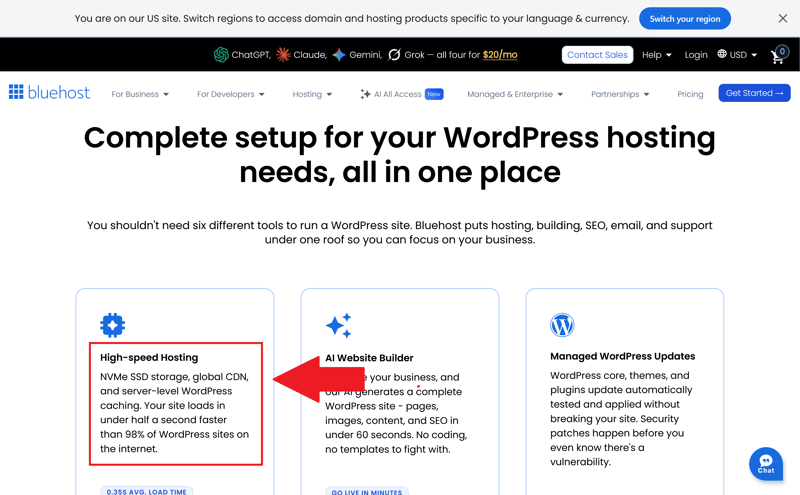
Bluehost hosts your website on fast NVMe storage.
For users managing multiple small-scale web projects, Bluehost represents an exceptionally cost-effective option. Generous domain caps allow you to consolidate several websites under a single account rather than paying recurring fees for separate subscriptions.
Combined with solid performance benchmarks and standard security protocols, Bluehost offers a compelling features-to-price ratio.
Bluehost: Pros and Cons
Exceptionally low starting rates
Bluehost ranks among the most affordable WordPress hosts available. For just a few dollars per month, you gain access to a platform capable of handling multiple WordPress installations.Granular server control
Despite its budget status, Bluehost provides extensive control over PHP execution parameters and resource allocation limits. This flexibility makes running resource-intensive plugins or managing complex site builds much smoother.Developer-friendly toolset
Subscribers get out-of-the-box access to staging environments, SSH protocol, WP-CLI, cron job scheduling, and WordPress Multisite functionality—essential tools for managing complex network setups.
Basic backup retention
Automated backups are limited to weekly runs, and Bluehost retains only the single most recent restore point. This setup offers minimal redundancy if critical data recovery becomes necessary.Fragmented user dashboard
The account administrative workflow feels disjointed. Settings are split between the custom Bluehost panel and a legacy cPanel interface, forcing you to navigate back and forth between two separate control systems.Substantial renewal price increases
Bluehost's long-term affordability is offset by steep renewal spikes. Once your initial promotional window expires, recurring rates increase dramatically.
GoDaddy: Starting at $5.99 per Month

GoDaddy* is one of the world’s largest domain registrars and web hosting providers. Operating since 1997, the U.S. company offers managed WordPress hosting, domain registration, website builders, and an array of online marketing tools.
How much does WordPress hosting cost at GoDaddy?
GoDaddy sits squarely in the mid-range price segment compared to other WordPress hosts in our test. While plans remain reasonably priced for a single WordPress site, users managing multiple websites or requiring higher storage limits will find better value with competing hosts. Entry-level tiers are also strictly limited to one website installation.
Here’s an overview of all GoDaddy plans:
| Basic | Deluxe | Surpreme | |
|---|---|---|---|
| Monthly price | from $5.99 | from $8.99 | from $12.99 |
| Contract period (months) | 1 - 120 | 1 - 120 | 1 - 120 |
| Included | |||
| WordPress projects | 1 | 1 | 3 |
| Storage | 10 GB | 20 GB | 30 GB |
| Storage type | NVMe | NVMe | NVMe |
| Domains | 1 | 1 | 1 |
| Email accounts | 0 | 0 | 0 |
| Databases | 1 | 1 | 3 |
| Bandwith | unlimited | unlimited | unlimited |
| SSL certificates | 1 | 1 | 3 |
| Backups | |||
| Backup interval | Weekly | Daily | Daily |
| Backup retention | 30 days | 30 days | 30 days |
| Manual backups | ✓ | ✓ | ✓ |
| Features | |||
| External domains | ✓ | ✓ | ✓ |
| SSH access | ✗ | ✗ | ✓ |
| CDN | ✓ | ✓ | ✓ |
| Cronjobs | ✗ | ✗ | ✗ |
| Staging environment | ✗ | ✓ | ✓ |
GoDaddy’s subscription rates increase after the initial term, in some cases jumping by nearly 50%. While this markup is somewhat less extreme than what certain competitors charge, long-term budgeting still requires accounting for higher renewal fees.
What does GoDaddy offer for the price?
The Basic plan comes with 10 GB of fast NVMe storage for a single WordPress installation. It includes a free domain name, an SSL certificate, and automated backups, providing all necessary core components for smaller site projects out of the box.
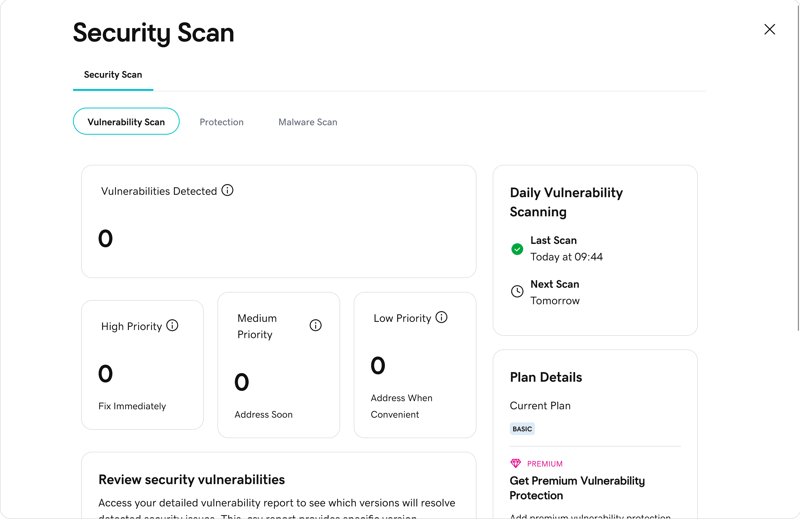
GoDaddy’s security scan alerts you to website issues.
Upgrading to the Deluxe plan increases storage to 20 GB while adding integrated CDN delivery and a staging environment—making it better suited for higher-traffic sites. The Supreme tier supports up to three WordPress installations across 30 GB of storage, alongside priority customer support and specialized WooCommerce capabilities.
On the whole, GoDaddy’s pricing structure remains competitive. Because the price step between Deluxe and Supreme is minimal, users operating multiple WordPress sites can offset the cost upgrade quickly.
What are the pros and cons of GoDaddy?
Robust security features
GoDaddy’s security suite goes beyond malware detection by removing infected files automatically. Additional security measures include a web application firewall (WAF), login protection, and automated core updates.Consistently fast server performance
Server response times proved consistently stable during testing, with roughly only one in every thousand requests taking longer than a second to process.Excellent uptime reliability
GoDaddy maintained an impressive 99.992% uptime record throughout our test period.
High renewal rates
Plan prices rise significantly once the initial promotion period ends, making it important to factor long-term renewal fees into cost calculations.Restricted technical flexibility
Because GoDaddy automates key server-side optimizations, advanced users have minimal freedom to fine-tune system configurations or custom settings.
Alternatives
Still looking for the right host? You have plenty of other options, some of which offer equally budget-friendly plans. Here is our ranking of the 14 best WordPress hosting providers, along with links to our full reviews:


Final Thoughts: High-Quality WordPress Hosting Doesn't Require a Large Budget
Even on a tight budget, plenty of reliable hosting providers offer exceptional value. Based on our testing, here are the top picks for different project needs:
- 1.
WordPress.com offers a cost-effective path for single-site projects. Its free tier allows you to test the platform without obligation.
- 2.
Hostinger combines low pricing with a robust feature set. Depending on the selected plan, you can host up to 100 WordPress websites.
- 3.
IONOS is a budget-friendly choice for hosting a single WordPress site. Its entry-level tiers are inexpensive at first and provide ample storage.
However, don't let steep promotional discounts mislead you. Many web hosts increase their subscription rates substantially upon renewal, making it crucial to evaluate long-term recurring costs before signing up.
For comprehensive breakdowns of 14 leading providers, explore our full comparison of the best managed WordPress solutions.