Linux Distros: The Best Options for Every Use Case


Linux is one of the most stable and flexible operating systems available. It is used in a wide range of environments, from personal computers to enterprise servers. However, there are many Linux distributions to choose from, each with its own strengths and weaknesses.
In this guide, we walk you through the most popular Linux distributions for different use cases, from beginner-friendly desktops to enterprise servers.


There are dozens of Linux distributions that differ significantly in ease of use, features, and intended purpose.
For beginners, user-friendly systems like Linux Mint or Ubuntu are great choices, as they are easy to install and use.
If you are running servers, Debian, Ubuntu Server, or Rocky Linux offer stability and long-term support.
Developers benefit from flexible systems such as Fedora, Arch Linux, or openSUSE Tumbleweed.
Creative users will find the suitable tools for audio, video, and graphic work in Ubuntu Studio, AV Linux, or the Fedora Design Suite.
For older hardware, lightweight systems like Lubuntu, antiX, or Puppy Linux are often the best choice.
What Is a Linux Distribution?
A Linux distribution (also called a Linux distro) is a complete operating system built on the Linux kernel, which is the core of the system and handles basic tasks such as communication between software and hardware.
A distribution includes everything needed for day-to-day use, including a graphical interface, applications, a package manager, and tools for general or specialized tasks.
A typical Linux distribution includes:
- 1.
Linux kernel: The core of the system, comparable to a car engine. It manages resources, processes, and drivers.
- 2.
System programs and libraries: These handle tasks such as file management, user management, and network communication.
- 3.
Package manager: Allows you to install, update, and remove software packages.
- 4.
Desktop environment: A graphical user interface such as GNOME, KDE, Xfce, or LXQt.
- 5.
Additional software: Includes applications such as office suites, browsers, or development tools.
Your choice of distribution affects more than just the look and feel. It also determines usability, stability, how up to date the software is, and what the system is best suited for.
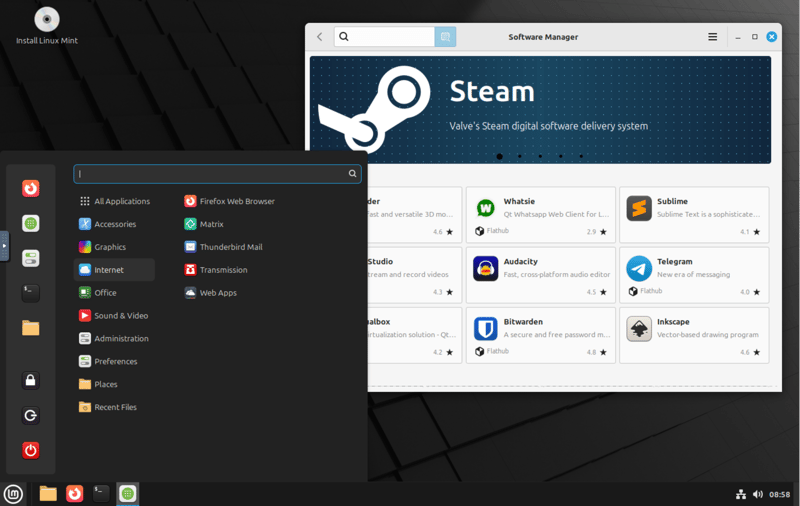
Linux Mint is known for being especially beginner-friendly.
One of Linux’s core principles is modularity: developers and communities can freely assemble their own distributions. Some focus on ease of use, while others emphasize control, security, or low system requirements.
Over time, this has led to a wide variety of options. Today, there are hundreds of Linux distributions, many tailored to specific use cases or audiences.
Linux Distros at a Glance
Even though there are countless Linux distributions, many of them share the same roots.
Most popular distributions trace back to just a handful of original systems. These base distributions provide the technical foundation that other variants (also known as derivatives) build on, including their package management.
Three of the most important "families" in the Linux world are:
- 1.
Debian Family
The Debian family includes Debian itself along with well-known derivatives like Ubuntu, Linux Mint, and Zorin OS. These distributions are known for their stability and ease of use.Software is managed through a centralized system that provides regular security updates. If you are looking for a reliable, widely supported system with a large community, this family is a great starting point.
- 2.
Red Hat Family
This includes Red Hat Enterprise Linux (RHEL), Fedora, AlmaLinux, and Rocky Linux. These systems are commonly used in enterprise environments because they offer long-term support along with proven management and security features.Fedora includes the latest software and serves as a testing ground for RHEL. AlmaLinux and Rocky Linux are free alternatives to RHEL.
- 3.
Arch Family
Arch Linux is highly flexible but geared toward advanced users. You build it from the ground up, and rolling updates keep it up to date at all times.If you want a simpler experience, Manjaro or EndeavourOS are good options, as they are user-friendly Arch-based distributions with a graphical installer and a preconfigured desktop.
When you choose a distribution, you are also choosing an ecosystem with its own pros and cons.
Beyond these major families, there are also specialized systems built for very specific purposes. Examples include Alpine Linux for container environments, Tails for anonymous browsing, and Qubes OS for maximum security. These distributions are not designed for everyday use.
Best Linux Distros by Use Case
Different Linux users have very different needs:
Beginners want easy setup and a simple interface.
Developers need up-to-date tools and libraries.
Creatives look for specialized audio, graphics, or video software.
Server admins expect stability and long-term support cycles.
In the following sections, we will show you which Linux distributions have proven themselves in practice across eight common use cases.
Best Linux Distros for Beginners
If you're new to Linux, you want a system that's easy to use and ready to go without a lengthy setup process.
For users with no prior experience, a clean interface, sensible default settings, and pre-installed apps that work right out of the box are key.
Linux Mint
Linux Mint is one of the most popular Linux distributions for beginners, mainly because it feels so familiar. It is based on Ubuntu and uses the Cinnamon desktop environment, which closely resembles Windows. If you are switching from Windows, you will feel right at home.
Right after installation, you get a full suite of software: a browser, email client, office suite, and media player are all ready to use. Important multimedia codecs like MP3 and MP4 also work immediately without any extra setup.
Linux Mint’s package manager is based on APT and gives you access to a wide selection of additional software. Mint focuses on stability, which means it does not always include the latest software versions.
very user-friendly, especially for Windows switchers
many essential apps and codecs work right out of the box
interface looks a bit dated compared to more modern systems
new software versions often arrive later than on Ubuntu
Linux Mint is great for users who want a system that works right away without much setup or tweaking. It is especially suitable for Windows users who want a familiar interface and do not need any technical background to get started.
Ubuntu
Ubuntu is one of the most well-known Linux distributions and a solid choice for beginners. The LTS (Long Term Support) version comes with five years of security updates, providing a reliable foundation.
The GNOME desktop looks different from Windows, but it is easy to learn after a short adjustment period. A clear app overview, search function, and clean layout make getting started simple. You can install apps through the Software Center without using the terminal.
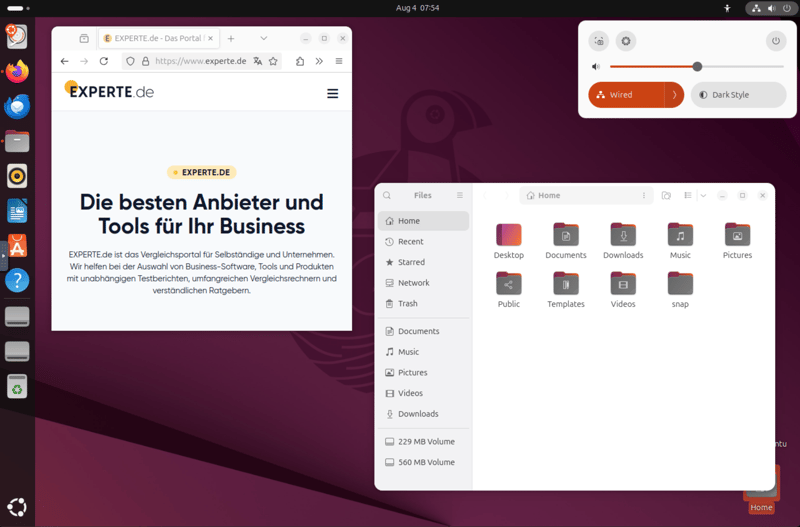
Ubuntu's GNOME desktop environment.
Ubuntu also stands out due to its large community, excellent documentation, and strong hardware support. New features and technologies are added regularly, making it a flexible platform for both personal and professional use.
long-term support with regular updates
wide software selection and large community
interface differs significantly from traditional desktops
higher resource usage than other beginner-friendly systems
Ubuntu is a good fit for users who want a stable system with long-term support and are willing to adapt to a new interface. If you are serious about trying Linux for the first time, Ubuntu provides a modern platform backed by a large community and reliable support.
Zorin OS
Zorin OS is designed specifically for people switching from Windows. Its look and feel closely resembles Windows, making the transition especially smooth. The system is based on Ubuntu but uses its own desktop environment that is even closer to the Windows experience.
You can even customize the interface to resemble Windows 11 or Windows XP. Zorin comes with all essential everyday apps pre-installed. Thanks to Wine, a compatibility layer for Windows programs, you can also run many familiar Windows applications directly.
If you want additional features, a paid Pro version is available. However, the free Core version already covers all standard features most users need.
very close to Windows, making the switch especially easy
supports Windows programs through Wine
some features require a paid upgrade
smaller community compared to Ubuntu or Mint
Zorin OS is a good fit for users who want an experience as close to Windows as possible in both appearance and functionality. For older hardware, there is a specially optimized Lite version with lower system requirements.
Beginner-Friendly Linux Distros Compared
Linux Mint | Ubuntu LTS | Zorin OS | |
|---|---|---|---|
Target audience | Windows switchers | Linux beginners | Windows switchers |
System requirements | Low to moderate | Moderate | Low (Lite version available) |
Desktop environment | Cinnamon | GNOME | Zorin Desktop |
Update model | Stable, conservative | Stable, regular | Stable, regular |
Pre-installed software | Extensive | Extensive | Extensive |
Ease of use | Very high | High | Very high |
Best Linux Distros for Desktop Users
If you use Linux regularly for work, school, or at home, you need a stable, fast system with a modern interface, a wide selection of software, and support for current hardware.
Pop!_OS
Pop!_OS is developed by the American hardware manufacturer System76 and is based on Ubuntu. It uses a customized version of the GNOME desktop that simplifies window management. One standout feature is automatic window tiling, which helps keep your workspace organized and improves productivity.
The Pop!_Shop makes it easy to install and manage software. Many essential applications come pre-installed, and others can be added with just a few clicks.
The system also places a strong emphasis on privacy and encryption. If you are already familiar with Ubuntu, you will feel right at home while benefiting from a faster, more polished experience.
ready to use right out of the box with practical features
strong support for modern hardware
small development team, less community support than Ubuntu
updates are less frequent than rolling-release systems
Pop!_OS is a good fit for people who spend a lot of time working on their computer. Developers, designers, and productivity-focused users benefit from its clean interface and quick setup.
If you have a laptop with an Nvidia GPU, Pop!_OS is a solid choice because the required drivers come pre-installed.
Manjaro
Manjaro is based on Arch Linux but focuses on ease of use. Unlike the minimalist Arch Linux, Manjaro ships with a preconfigured desktop environment, automatic hardware detection, and graphical installation tools.
You can choose from several desktop environments, such as XFCE, KDE, or GNOME.
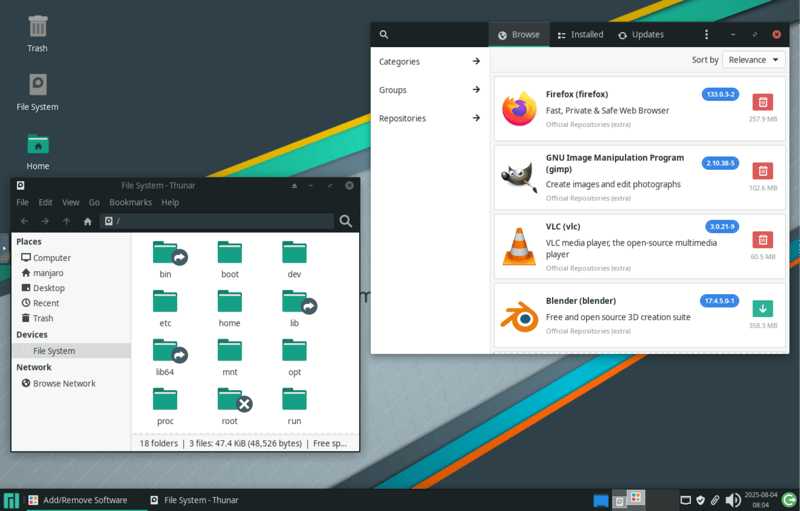
Manjaro with the XFCE desktop environment.
Manjaro uses a rolling-release model, meaning software packages are always up to date.
The system uses the Pacman package manager along with graphical tools for easy installation. You also get access to the Arch User Repository (AUR), which offers thousands of additional programs.
always up to date thanks to the rolling-release model
easier to use than Arch Linux
Arch User Repository (AUR) is not always beginner-friendly
past concerns about project leadership and funding transparency
Manjaro is a good fit for users who want up-to-date software and a user-friendly system. It is aimed at desktop users with some experience who are looking for a stable yet modern setup.
Fedora Workstation
Fedora Workstation is the desktop version of Fedora. It is designed for experienced users who want a reliable, up-to-date system.
This distribution uses the actively developed GNOME desktop environment and is often one of the first Linux distributions to adopt new technologies, resulting in a modern, minimalist interface.
A new version is released every six months with the latest packages and features. Software is installed using the DNF package manager, and programs can also be added via Flatpak.
Fedora focuses on free software. Proprietary drivers and multimedia codecs such as MP3 or H.264 are not included out of the box and must be installed manually. If you are willing to put in that extra effort, you will get a powerful and modern system.
always ships with the latest software
new features often available before other linux distros
drivers and codecs missing out of the box
GNOME desktop takes some getting used to
Fedora Workstation is a good fit for desktop users who prefer cutting-edge technology and are open to a GNOME-based workflow. It's especially interesting for programmers, experienced Linux users, and anyone who appreciates a clean, streamlined interface.
Linux Distros for Desktop Users Compared
Criteria | Pop!_OS | Manjaro | Fedora Workstation |
|---|---|---|---|
Target audience | Productivity-focused desktop users | Tech-savvy desktop users | Developers, experienced Linux users |
System requirements | Medium | Medium to high | Medium to high |
Desktop environment | GNOME with tiling | XFCE, KDE, GNOME | GNOME |
Update model | Stable, Ubuntu-based | Rolling release | Stable, every six months |
Pre-installed software | Extensive | Extensive | Basic |
Ease of use | High | Medium to high | Medium |
Best Linux Distros for Servers
Servers have very different requirements than desktop systems. A graphical interface barely matters here.
What matters most is long maintenance cycles, security, stability, low system overhead, and reliable update management. Automation and remote administration also play a major role.
Debian
Many administrators consider Debian their top choice for servers. The main reasons are rock-solid stability, long-term security updates, and a large selection of software packages.
Stable releases are published only every few years, but they undergo thorough testing. This significantly reduces the risk of issues in production.
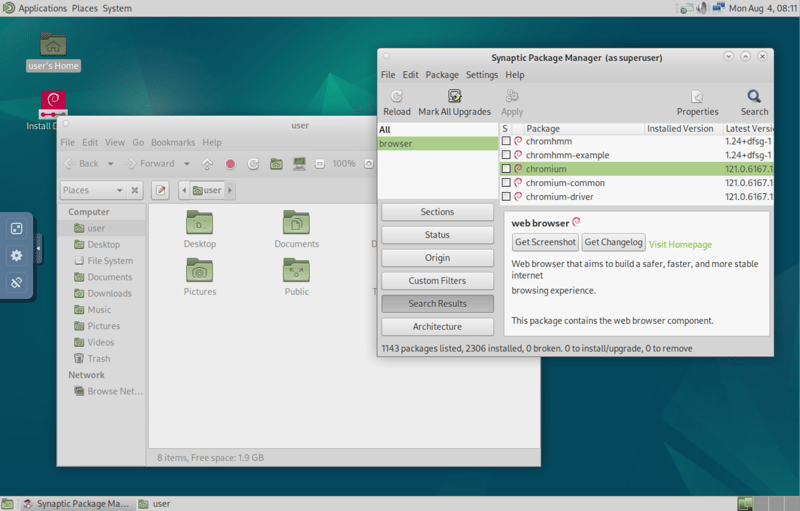
Debian with the MATE desktop environment.
Debian includes only the bare essentials and can be expanded as needed. Thanks to its broad hardware support and modular design, it also works well on older or resource-limited servers.
very stable and thoroughly tested software base
broad hardware support and massive package repositories
relatively conservative software versions
initial setup and updates may require some manual effort
Debian is a good fit for operators of web, mail, and database servers who need a low-maintenance system with reliable security updates. It is also a solid foundation for small businesses or home users looking to run their own server.
Ubuntu Server
Ubuntu Server is based on Debian but offers more up-to-date packages and easier setup. It is a great choice if you want a modern, ready-to-deploy server solution with solid documentation.
Ubuntu supports traditional server tasks such as web and mail servers as well as modern workloads like containers and virtual machines. Canonical also offers optional commercial support.
LTS versions with five years of support
strong integration with cloud platforms and container environments
Canonical-specific quirks (e.g., Snap packages)
not quite as lightweight as Debian
Ubuntu Server is a good fit for IT professionals and home users who value straightforward maintenance and a modern feature set. Its widespread use in cloud environments also makes it a popular choice for virtual servers and containers.
Rocky Linux / AlmaLinux
After CentOS was discontinued, Rocky Linux and AlmaLinux emerged as stable alternatives to Red Hat Enterprise Linux (RHEL). Both offer full binary compatibility with RHEL but do not require a paid support subscription.
Rocky Linux and AlmaLinux behave almost identically to RHEL, which means you can use Red Hat guides and tools directly.
Updates are released regularly, and the system structure is clear and predictable. Key features like firewall management, user administration, and security policies are ready to use right out of the box.
1:1 compatible with Red Hat Enterprise Linux
Ten years of support per major release
No graphical user interface by default
Community-driven with no vendor support (available through third parties)
Rocky Linux and AlmaLinux are a good fit for admins and businesses that want to run RHEL-compatible servers without licensing costs while maintaining stability and software availability.
Server Linux Distros Compared
Criteria | Debian | Ubuntu Server | Rocky Linux / AlmaLinux |
|---|---|---|---|
Target audience | Stability-focused self-hosters | Cloud and server users | Businesses, RHEL migrants |
System requirements | Low to moderate | Moderate | Moderate to high |
Desktop environment | None by default | None by default | None by default |
Update model | Stable, conservative | Stable, regular | Stable, long-term |
Pre-installed software | Minimal base setup | Server services optional | Server services optional |
Ease of use | Moderate | High | Moderate |
Best Linux Distros for Businesses
For businesses, stability, predictable updates, long-term support, and reliable vendor backing are essential. Security, compliance, certifications, and compatibility with existing software are equally important.
Three Linux distributions have proven themselves in this space:
Red Hat Enterprise Linux (RHEL)
Red Hat Enterprise Linux (RHEL) is a commercial Linux distribution designed for large organizations. It follows a fixed release cycle, offers up to ten years of support, and is widely used in data centers and cloud environments worldwide.
RHEL focuses on security, maintainability, and scalability. Administrators benefit from certified tools, training programs, and extensive documentation.
RHEL requires a paid subscription that includes support, updates, and certifications. Many major software vendors test their products specifically on RHEL, ensuring strong compatibility across the board.
Up to ten years of support with clear maintenance cycles
Large ecosystem with tools, certifications, and vendor support
Requires a paid subscription
Limited support for community-based extensions
Red Hat Enterprise Linux is a good fit for businesses that rely on stable operations, certified vendor support, and predictable maintenance schedules. It is especially well suited for organizations with strict compliance requirements.
SUSE Linux Enterprise Server (SLES)
SUSE Linux Enterprise Server (SLES) targets businesses, particularly in Europe. The distribution provides stable updates, modular extensions, and powerful management tools.
A graphical interface is secondary here, since SLES is primarily used in server and cloud environments.
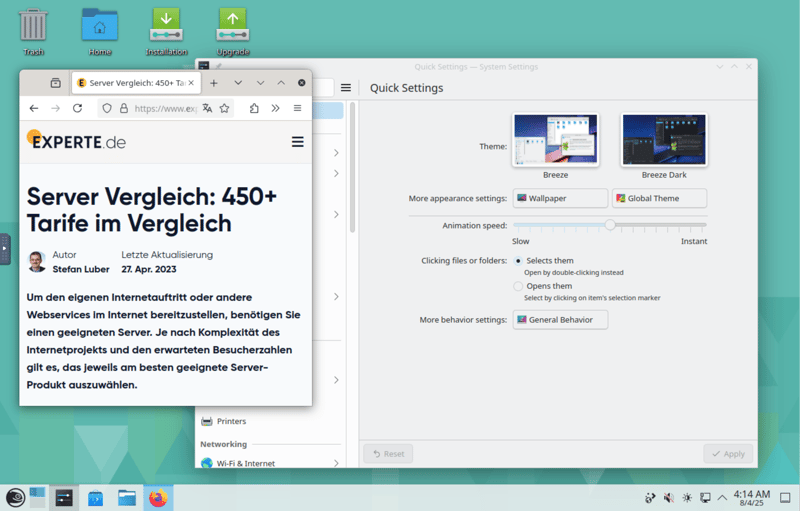
Instead of SLES: openSUSE with the KDE desktop.
The central management tool YaST allows you to configure networks, users, services, and security settings through both a graphical interface and scripts. The SUSE Customer Center provides access to updates, modules, and support contacts.
SLES is often used as a foundation for SAP and database solutions in enterprise environments.
flexible modular extensions and a solid maintenance model
strong tools for management and automation
steeper learning curve for deployment and licensing
smaller community compared to Red Hat or Ubuntu
SUSE Linux Enterprise Server is a good fit for organizations that rely on certified infrastructure, regulatory compliance, and long-term system maintenance. SLES is especially popular in industrial settings, government agencies, and regulated industries.
Ubuntu Pro
Ubuntu Pro builds on the LTS release and adds enhanced security features, compliance tools, and professional support.
Canonical specifically targets this version at businesses, government agencies, and cloud environments. The foundation remains Ubuntu, ensuring broad compatibility and a familiar setup.
Even proprietary software receives regular security updates with Ubuntu Pro. It also integrates directly with platforms like AWS, Azure, and Google Cloud. In addition, certified support from Canonical is available.
familiar Ubuntu base with extended security features
free for small environments, easy to scale in the cloud
Canonical-specific quirks (e.g., Snap, Landscape)
less established in traditional enterprise infrastructures
Ubuntu Pro is a good fit for organizations that already use Ubuntu and need stronger security and compliance. It is especially useful for cloud and hybrid environments that require high scalability.
Enterprise Linux Distros Compared
Criteria | Red Hat Enterprise Linux | SUSE Linux Enterprise | Ubuntu Pro |
|---|---|---|---|
Target audience | Large enterprises with SLAs | Organizations with compliance needs | Companies with hybrid cloud |
System requirements | Medium to high | Medium to high | Medium |
Desktop environment | None by default | None by default | None by default |
Update model | Stable, long-term | Stable, long-term | Stable, LTS + Pro upgrades |
Pre-installed software | Enterprise tools | Enterprise modules (YaST) | LTS base + Pro features |
Ease of use | High with support | High with SUSE tools | High with community support |
Best Linux Distros for Developers
If you develop software, you need up-to-date compilers, libraries, and tools. It is also important that your system adapts to your workflow.
Other key factors include flexible package management, good documentation, and minimal setup effort. Your time should go into development, not system maintenance.
Arch Linux
Arch Linux is a minimalist distribution. You set up everything step by step according to your preferences, resulting in a fully customized development environment. Package management is handled through Pacman, and additional packages can be installed from the Arch User Repository (AUR).
Arch follows a rolling-release model, meaning new tools and programming languages are available immediately. The trade-off is that there are no fixed versions and no guaranteed stability.
You are responsible for maintenance and updates yourself, which aligns with the Arch philosophy.
maximum flexibility and full system control
always up-to-date packages thanks to rolling release
high effort for setup and maintenance
not suitable for beginners
Arch Linux is a good fit for developers who need maximum control and do not mind maintaining their system themselves. It is designed for advanced users who work extensively with build systems, custom scripts, or bleeding-edge libraries.
Fedora
Fedora is known for its up-to-date compilers, kernels, and libraries, which is why many developers choose it.
Fedora is available with several desktop environments, including Xfce, KDE Plasma, MATE, LXQt, Cinnamon, and i3. It includes modern tools like Flatpak, Podman, and Toolbox. Red Hat is the company behind Fedora, but the distribution itself is completely free to use.
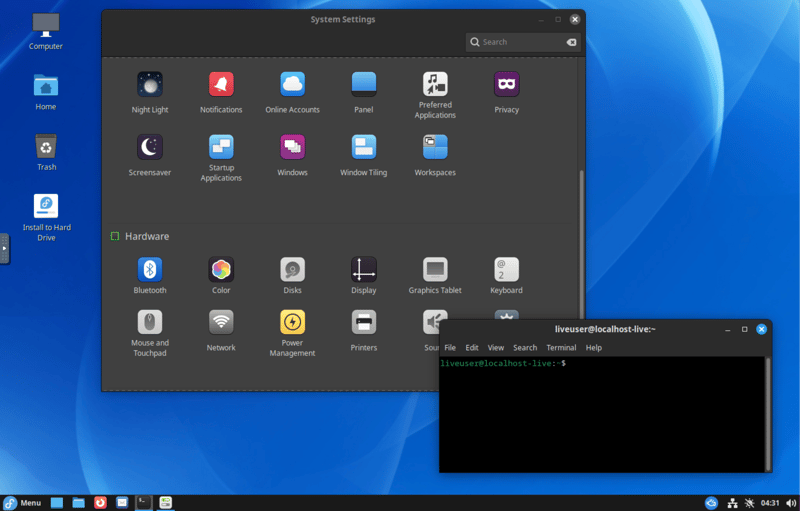
Fedora's Cinnamon desktop environment.
Fedora releases a new version every six months, bringing new features and updated software while maintaining a stable and current software base.
up-to-date developer tools and packages
high stability despite cutting-edge software
proprietary drivers not preinstalled
upgrading every six months is recommended
Fedora is a good fit for developers who need modern tools but still want a tested, well-maintained system. It is a great choice if you work with containers, virtualization, or cloud-based environments.
openSUSE Tumbleweed
openSUSE Tumbleweed is the rolling-release version of openSUSE. Unlike Arch Linux, it runs automated tests before updates are released.
The default desktop is KDE Plasma, but other environments are also available. Tumbleweed provides a wide range of developer tools, a solid foundation, and a well-organized system management setup.
System administration is handled through YaST, which manages networking, users, services, and software repositories. Package management is handled by Zypper, offering extensive options and a clean transaction system. openSUSE is also widely used among DevOps and CI professionals.
rolling release with automated testing
comprehensive tools and centralized configuration with YaST
frequent updates require attention
steeper learning curve than fixed-release distros
openSUSE Tumbleweed is a good fit for developers who want a current system with tested packages. It is also a solid choice for programmers who work with many libraries or experimental tools.
Linux Distros for Developers Compared
Criteria | Arch Linux | Fedora | openSUSE Tumbleweed |
|---|---|---|---|
Target audience | Advanced developers | Developers focused on modern tools | Developers with rolling-release experience |
System requirements | Medium to high | Medium to high | Medium to high |
Desktop environment | None by default | GNOME | KDE Plasma (GNOME optional) |
Update model | Rolling release | Stable, twice a year | Rolling release with testing |
Pre-installed software | Minimal (your choice) | Developer tools | Extensive toolset |
Ease of use | Low to medium | High | Medium |
Best Linux Distros for Creatives
Graphic designers, musicians, video editors, and photographers need specialized software for tasks such as recording, image editing, or video production. In addition, they require low latency, color management, and precise hardware control.
Ubuntu Studio
Ubuntu Studio is based on the LTS version of Ubuntu and optimized for creative work. It includes a wide range of pre-installed applications for graphics, audio, and video.
KDE Plasma serves as the desktop environment, offering a modern interface with solid performance. For audio work, it includes a preconfigured real-time kernel that delivers very low latency.
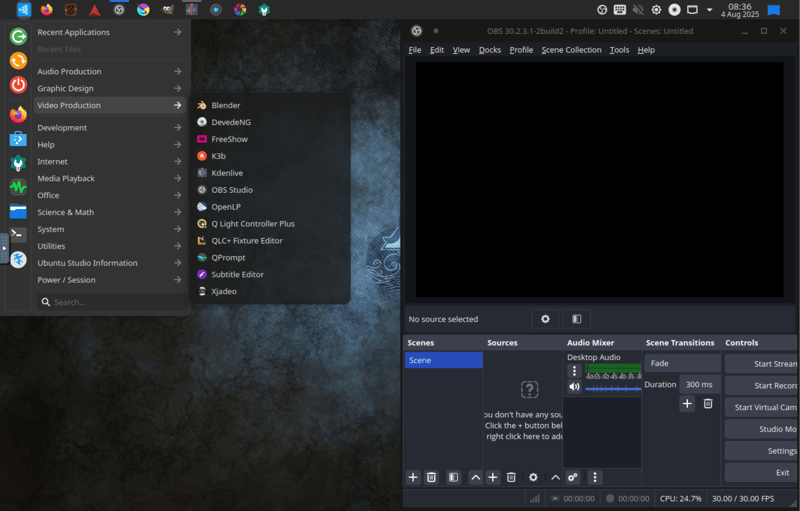
Video production software in Ubuntu Studio.
The software lineup includes Ardour, Audacity, OBS Studio, GIMP, Inkscape, and Darktable. Audio tools like JACK and QjackCtl, along with common plugin formats (LADSPA, LV2), are also included.
A central control panel makes audio routing and system adjustments easy, with no command line required.
comprehensive creative software ready to use out of the box
real-time kernel for professional audio production
higher resource usage compared to standard Ubuntu variants
software versions can be conservative due to LTS base
Ubuntu Studio is a good fit for users who want to start creative projects without extra setup. Musicians, podcasters, video editors, and multimedia producers benefit from its extensive toolset and professional audio architecture.
AV Linux
AV Linux is a lightweight, specialized distribution built for audio and video production. It is based on MX Linux and uses Xfce as its lightweight desktop environment.
This distribution targets experienced users who need precise audio control and real-time performance. JACK, ALSA, and the real-time scheduler come preconfigured and are ready to use.
It includes specialized applications such as Ardour, Mixbus, Hydrogen, Carla, Kdenlive, and Cinelerra. AV Linux can also run as a live system, making it a good option for mobile production setups.
The documentation is geared toward advanced users, so beginners may need some time to get up to speed.
excellent audio presets with low latency
lightweight and well-suited for older hardware
steeper learning curve for setup and customization
smaller user base and irregular update schedule
AV Linux is a good fit for users who primarily work in audio or video and want full control over their system. It is especially well suited for musicians, sound engineers, and home studios, even on older or lower-spec hardware.
Fedora Design Suite
Fedora Design Suite is built on Fedora Workstation and is geared toward graphic artists and designers.
The software selection was created with input from the Fedora Design community and covers everything from vector graphics to web design. The interface runs on GNOME and is clean, modern, and easy to navigate.
Pre-installed applications include GIMP, Inkscape, Darktable, Krita, Scribus, and Blender. Thanks to a six-month release cycle, the software stays up to date. Additional packages can be installed through Flatpak or DNF.
up-to-date graphics tools on a Fedora base
community-curated software selection for creative work
no focus on audio or video production
less preconfigured than Ubuntu Studio
Fedora Design Suite is a good fit for creatives who primarily work with digital image editing, layout design, and visual communication. It is especially well suited for designers who prefer open-source tools and want the latest software versions.
Linux Distros for Creatives Compared
Criteria | Ubuntu Studio | AV Linux | Fedora Design Suite |
|---|---|---|---|
Target audience | Multimedia producers | Audio and video professionals | Graphic and web designers |
System requirements | Medium to high | Low to medium | Medium |
Desktop environment | KDE Plasma | XFCE | GNOME |
Update model | Stable, LTS-based | Stable, manual | Stable, semi-annual |
Pre-installed software | Very extensive | Specialized | Graphics-focused |
Ease of use | High | Medium | High |
Best Linux Distros for Older Hardware
Many older laptops or secondary computers have limited RAM, weak processors, and minimal storage. That does not mean they are obsolete. With the right Linux distribution, these machines can still be perfectly usable.
Lubuntu
Lubuntu is an official Ubuntu flavor that uses the lightweight LXQt desktop environment. It is modular, fast, and significantly less resource-intensive than desktops like GNOME or KDE.
Lubuntu runs smoothly with as little as 1 GB of RAM and older processors. It is based on Ubuntu LTS, providing reliable stability and regular security updates.
Despite its low system requirements, Lubuntu covers all the basics, including a file manager, word processor, and web browser. Additional programs can be installed through the Software Center or via APT.
very low system requirements
familiar Ubuntu base with long-term support
fewer customization options than larger desktop environments
design looks a bit dated
Lubuntu is a good fit for users who want to keep older computers running without sacrificing everyday usability. It is also a great choice for schools, community organizations, or minimalist work setups.
antiX
antiX is an ultra-minimal distribution based on Debian Stable. Instead of a traditional desktop environment, it uses lightweight window managers like IceWM or Fluxbox.
antiX runs on very old hardware, including netbooks and PCs with Pentium or Atom processors. The system can even boot on machines with just 512 MB of RAM.
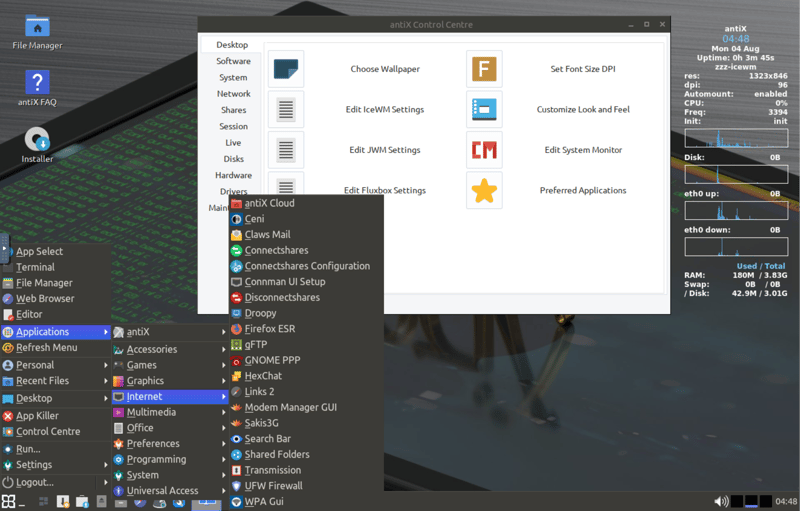
antiX runs smoothly even on older machines.
Despite its minimal footprint, antiX includes a fully functional desktop with email, a browser, a text editor, a file manager, and media playback. System settings can be adjusted using graphical tools or shell scripts.
If additional features are needed, packages can be installed from the Debian repositories.
Extremely lightweight and fast
Runs on very old hardware
Interface isn’t intuitive for beginners
Limited graphical features and visual polish
antiX is a good fit for users who want to bring old computers back to life or need an ultra-lightweight system. It is a great option for tinkerers, retro projects, or machines with very limited resources.
Puppy Linux
Puppy Linux is an especially lightweight system that runs entirely in RAM and boots extremely fast. The ISO file (the downloadable disk image of the operating system) is smaller than 400 MB.
Puppy Linux comes in several variants, including versions based on Ubuntu or Slackware.
The desktop environment is a custom build that is intentionally kept simple. Despite the distribution’s small size, all essential programs are included, such as a browser, word processor, file manager, and system configuration tools.
Very fast, even on older hardware
Runs directly from a USB stick without a hard drive
Limited selection of packages
Interface feels unfamiliar and doesn’t follow standard conventions
Puppy Linux is a good fit for users looking for a portable Linux system on a USB stick or wanting to revive old computers. It is also useful as a diagnostic or data recovery tool.
Linux Distros for Older Hardware at a Glance
Criteria | Lubuntu | antiX | Puppy Linux |
|---|---|---|---|
Target audience | Users with older PCs | Tinkerers, minimalists | Portable emergency environments |
System requirements | Low | Very low | Very low |
Desktop environment | LXQt | IceWM, Fluxbox | Custom-built |
Update model | Stable, LTS-based | Stable, Debian-based | Stable, semi-rolling |
Pre-installed software | Basic set | Minimal set | Minimal, expandable |
Ease of use | High | Medium | Low to medium |
Specialized Linux Distros
Some Linux distributions are built for very specific purposes. These systems are not designed for office work or multimedia tasks. Instead, they handle specialized tasks such as IT security or forensic analysis and are commonly used in testing environments or for ethical hacking.
Kali Linux
Kali Linux is based on Debian and includes a large collection of tools for penetration testing, security analysis, and digital forensics.
It includes tools for network scanning, exploit testing, password cracking, wireless hacking, and more. The desktop uses Xfce or GNOME, and versions are also available for ARM devices and containers.
Kali Linux can be run as a live system or installed on your machine. Since many of its tools are powerful, they should only be used in isolated test environments and never on systems without the owner’s permission.
comprehensive collection of professional security tools
regular updates and a large community
not suited for everyday tasks
requires technical expertise and careful handling
Kali Linux is a good fit for IT security professionals, system administrators, and ethical hackers who need to identify vulnerabilities. It is also widely used in training courses and certifications such as the CEH (Certified Ethical Hacker).
Tails
Tails ("The Amnesic Incognito Live System") is a live operating system designed for maximum anonymity. It runs exclusively from a USB stick and does not store any data on the computer. All internet traffic is routed through the Tor network by default.
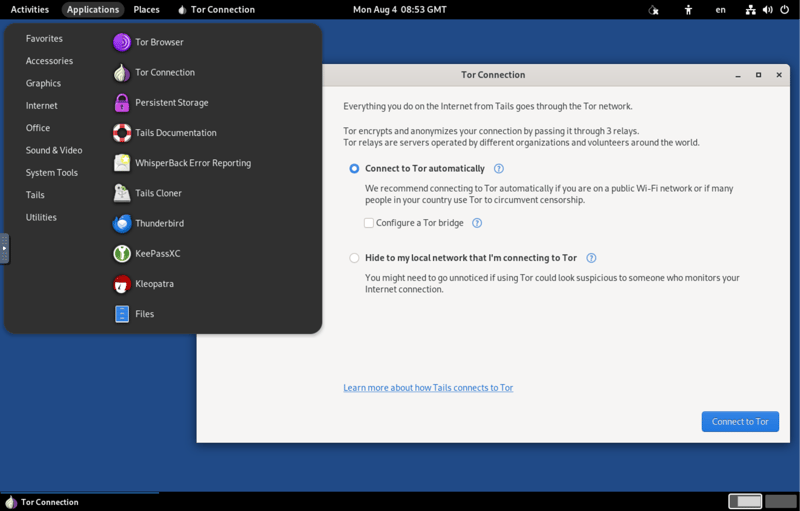
Tails routes all traffic through the Tor network.
Tails is based on Debian and uses GNOME as its desktop environment. Essential tools such as the Tor Browser, KeePassXC, and GnuPG come preinstalled. If you want to save data permanently, you can set up an encrypted storage partition.
maximum privacy through live mode and Tor
leaves no data traces on the host device
limited software selection
slow internet speeds due to Tor routing
Tails is a good fit for whistleblowers, journalists, human rights activists, or anyone who needs to communicate anonymously in sensitive situations. It is also widely used in countries with restrictive governments.
Qubes OS
Qubes OS takes a unique approach to security: applications run in strictly separated virtual machines called "Qubes." The system is based on Fedora and the Xen hypervisor, which manages virtual machines.
Each Qube is isolated, whether it is used for browsing, online banking, or coding. Even if one application is compromised, the damage remains contained within that Qube.
You manage everything through a central control window that provides access to individual Qubes. Due to its complex architecture, Qubes OS requires powerful hardware and a solid understanding of virtualization.
strongest isolation between applications
modular, customizable security model
high hardware requirements
complex setup and steep learning curve
Qubes OS is a good fit for technically skilled users who do not want to compromise on security, such as investigative journalists, activists, or developers.
Specialized Linux Distros Compared
Criteria | Kali Linux | Tails | Qubes OS |
|---|---|---|---|
Target audience | IT security professionals | Privacy-focused users, journalists | High-security environments |
System requirements | Moderate | Low | High |
Desktop environment | XFCE, GNOME | GNOME | XFCE (VM-based) |
Update model | Regular, rolling | Stable, live-based | Stable, VM-centric |
Pre-installed software | Security tools | Privacy tools | Virtualization and management |
Ease of use | Moderate | High (in context) | Low to moderate |
How Do I Find the Right Distro?
Choosing the right Linux distro depends mainly on what you want to do with it and how much technical experience you have. Beginners benefit from systems that are easy to get started with, while experienced users tend to prioritize customization, up-to-date software, and fine-grained control.
If you’re new to Linux, choose a distro that makes the transition easy. Look for a graphical installer, a preconfigured desktop, automatic hardware detection, and solid documentation.
These distros handle most of the setup for you and let you get started quickly. They’re the best way to get familiar with Linux.If you’re tech-savvy or want to work with Linux professionally, choose a distro that offers high flexibility and the latest software. Customization options and a strong package management system matter most here.
These systems are especially well suited for development, testing, or running production servers.
Here’s a quick overview of the best Linux distros for different use cases:
Everyday desktop use
Ubuntu, Fedora Workstation, Linux MintDevelopment & testing
Arch Linux, Fedora, openSUSE TumbleweedServer use
Debian Stable, Ubuntu Server, AlmaLinux, Rocky LinuxCreative work (audio/video)
Ubuntu Studio, AV Linux, Fedora Design SuiteOld or low-spec hardware
Lubuntu, antiX, Puppy LinuxIT security & privacy
Tails, Qubes OS, Kali Linux
There are a few more factors worth considering when choosing a distro, such as how it handles updates.
Different Update Models
Linux distros differ in how they deliver new software and system updates:
- 1.
Fixed release: Updates are delivered in scheduled versions at set intervals. This ensures high stability and is ideal for production systems.
Examples: Ubuntu LTS, Debian Stable - 2.
Rolling release: Software is updated continuously. You always have access to the latest packages, which makes this model popular with developers and tech enthusiasts.
Examples: Arch, openSUSE Tumbleweed
If you need a reliable workhorse, a fixed release cycle is the better choice. If you’re the adventurous type who wants new features as soon as they’re available, rolling releases are the way to go.
Documentation Quality & Community
Good documentation is extremely valuable, especially for beginners. Distros with active communities that provide guides, tips, and troubleshooting resources have a clear advantage here.
Here are some trusted resources for documentation and help:
Arch Wiki: Offers very detailed information and is often helpful for other distros as well.
Fedora Docs: Provides official manuals for desktop, server, and development use.
Live Systems & Virtual Machines
You don’t have to commit right away. Many Linux distros can be booted directly from a USB stick as a live system, with no installation required. This lets you explore the interface and features risk-free.
There are several ways to try Linux without making any changes to your current system:
Virtual machines: e.g., with VirtualBox or GNOME Boxes
Live USB sticks: e.g., created with Ventoy or BalenaEtcher
Online testing: e.g., with DistroSea
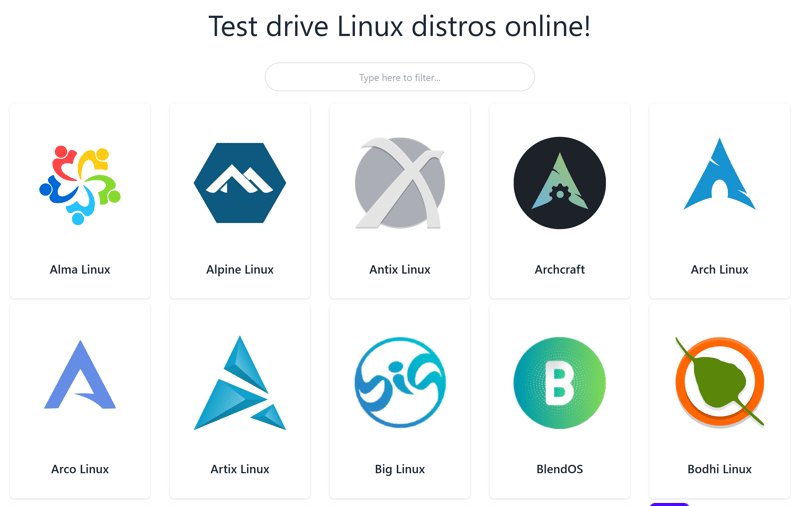
Try Linux distros right in your browser with DistroSea.
Conclusion
Few operating systems are as flexible as Linux. There’s a distro for nearly every use case. What matters most isn’t which system is objectively the best, but which one fits your specific needs.
Getting started is easier than you might think. There are plenty of beginner-friendly Linux distros that offer an intuitive interface, sensible default settings, and a helpful community. This makes switching from Windows or macOS much smoother.
At the same time, there's plenty of room to grow. If you later want more control or specialization, you'll find Linux distros that allow in-depth customization and maximum flexibility. The range is huge: from minimalist Arch to security-focused Qubes OS.
Think of Linux not as a fixed path, but as a toolbox. Once you dive in, you'll find a system that adapts to the way you work—not the other way around.