DigitalOcean VPS Review: How Good Is This Cloud Host Really?


Server power on demand: With DigitalOcean, you choose your VPS configuration yourself and adjust it flexibly at any time to meet your needs. But how well does this work in practice?
In this review, we take a closer look at setup, management, performance, and costs across DigitalOcean's platform.


DigitalOcean* is a US-based hosting provider that primarily targets developers, startups, and tech-savvy users. The company offers virtual servers called Droplets, managed databases, Kubernetes clusters, object storage, and many other cloud services.
The host is known for its extensive offerings and operates data centers worldwide.
DigitalOcean Server Review
Instant Deployment
You won't wait long for your VPS with DigitalOcean: After you place your order, it usually takes less than a minute before you can get started.Wide Range of Plans
DigitalOcean offers six plan types with a total of 76 hardware configurations, allowing both small projects and complex applications to find a suitable setup.Flexible Scaling
CPU, RAM, and storage can be expanded at any time. You can also switch between plan types if your project's needs change.
Not for Beginners
The platform is clearly aimed at experienced users. If you haven't worked with your own servers before, you'll find easier entry points with other hosts.Subpar Server Performance
In our review, DigitalOcean performs significantly worse than the competition in terms of CPU and RAM performance. Applications that run many processes simultaneously or handle compute-intensive tasks may run noticeably slower as a result.
Server Setup & Management
| Interface & usability | Confusing, slow | 0/2 |
| Server setup | Excellent | 8/8 |
| Server management | Everything available | 8/8 |
| Other features | Many cloud tools | 2/2 |
Signing up with DigitalOcean is straightforward and takes just a few minutes. You create a new account with your email address or sign in through Google or GitHub. After confirming your email, you'll have immediate access to the dashboard, even before ordering a product.
To finish, you'll need to add a payment method. DigitalOcean typically doesn't require additional identity verification. They only ask you to verify your identity in rare cases, such as payment issues.
The DigitalOcean Dashboard: Built for Pros
After logging in, you'll land directly in the dashboard, which offers plenty of options and information. Right from the start, you'll notice that DigitalOcean is designed for technically skilled users.

The DigitalOcean dashboard.
The design is functional but fairly plain. The sidebar has many subsections and can feel a bit overwhelming to newcomers. There are no tooltips or contextual help features. However, if you have experience with cloud dashboards, you should feel comfortable after a short time.
One downside is that the dashboard regularly displays ads for additional services and the marketplace. Load times are also unusually long: some pages take up to six seconds to fully load. For a hosting provider, that's not a good sign.
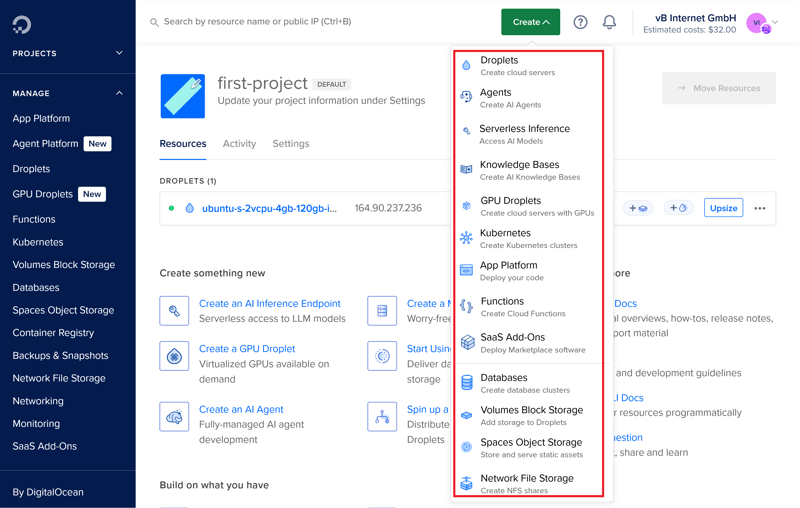
New resources can be created quickly.
Support is linked in several places, but there's no direct contact option. To create a ticket, you need to click through the Help Center first, a process that takes at least three steps before you can actually submit a request.
The dashboard is only available in English. There's no language switcher or dark mode yet.

The dashboard offers an impressive range of features but suffers from information overload. A clearer structure and better user guidance would improve the interface.
For experienced users with clear requirements, this isn't a problem. They benefit from the extensive control options. For beginners, however, the learning curve is unnecessarily steep and a bit uninviting. If you're setting up a server for the first time, you might feel overwhelmed.
Server Setup at DigitalOcean: Plenty of Choices
VPS servers are called Droplets at DigitalOcean. The provider describes them as scalable virtual machines that you provision either through the DigitalOcean website or directly from the dashboard.
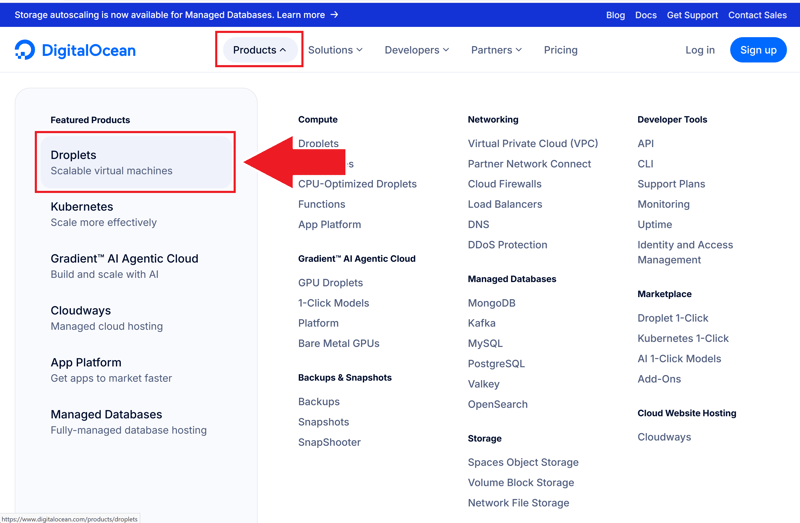
Droplets in DigitalOcean's shop.
Compared to many competitors, DigitalOcean offers significantly more options during setup. The plans are divided into six main categories that are defined more by their intended use than by overall performance (e.g., CPU or RAM-intensive applications). That's why you should know exactly what you want to use your server for before you start.
Within the six main categories, there's another subdivision by processor type: "Regular," "Premium Intel," and in some cases "Premium AMD." You choose your plan only after selecting the processor brand.
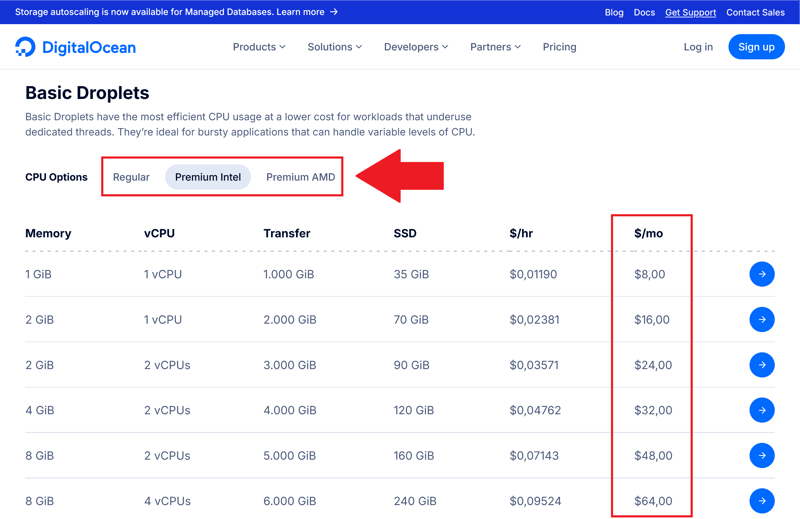
Choosing the processor brand.
VPS servers in the Basic plans use shared CPUs, which means multiple virtual machines share the processing cores of a physical host. In all other plan categories, you get dedicated CPU cores that are exclusively assigned to your Droplet. This costs more, but reduces performance fluctuations.
For the data center, you can choose from ten regions. These include locations in Europe, North America, Asia, and Oceania. Your choice of location doesn't affect the price.
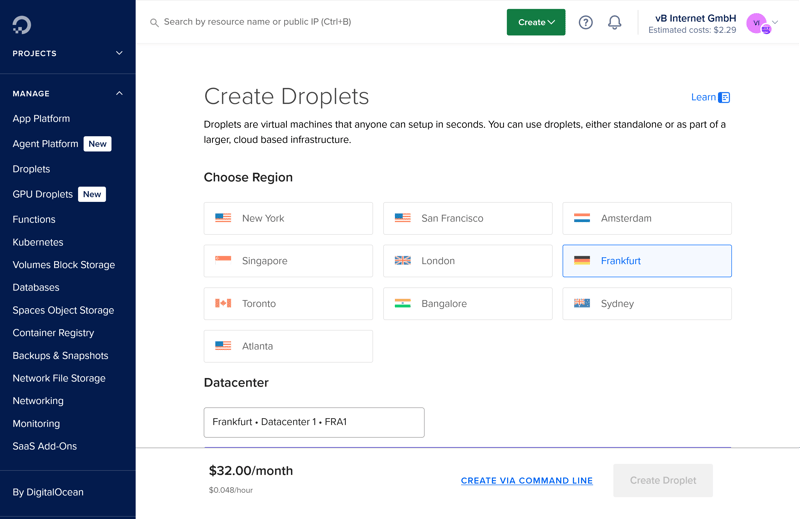
Ten globally distributed locations.
For the operating system, DigitalOcean offers six Linux distributions to choose from:
Ubuntu
Debian
Fedora
Rocky Linux
AlmaLinux
CentOS
You can also upload your own images during server configuration. The marketplace provides you with access to 260 preconfigured applications, including WordPress, GitLab, Docker, MongoDB, and Plesk. Depending on the software, additional costs may apply.
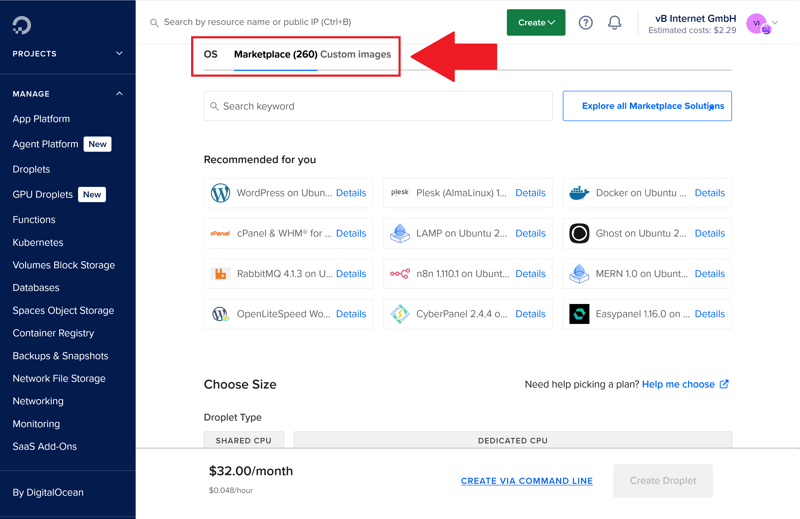
Software in the DigitalOcean marketplace.
In the final step, you decide whether you need additional storage in the form of Block Storage. The host attaches it to your Droplets like an external hard drive.
Less than a minute after completing your order, your VPS is ready to go. You'll receive a confirmation email and can start right away.
DigitalOcean offers enormous freedom when it comes to configuration, and it's surprisingly fast. If you know what you need, you can set up a perfectly tailored server in no time.
However, this flexibility comes at a price: The wide range of options can overwhelm beginners. For experienced users, this is a plus. For newcomers, it's more of a hurdle.
Server Management: Detailed and Feature-Rich
DigitalOcean also offers plenty of flexibility when it comes to server management.
The server action menu in the project overview gives you direct access to important features, such as the web console, backup settings, or block storage.
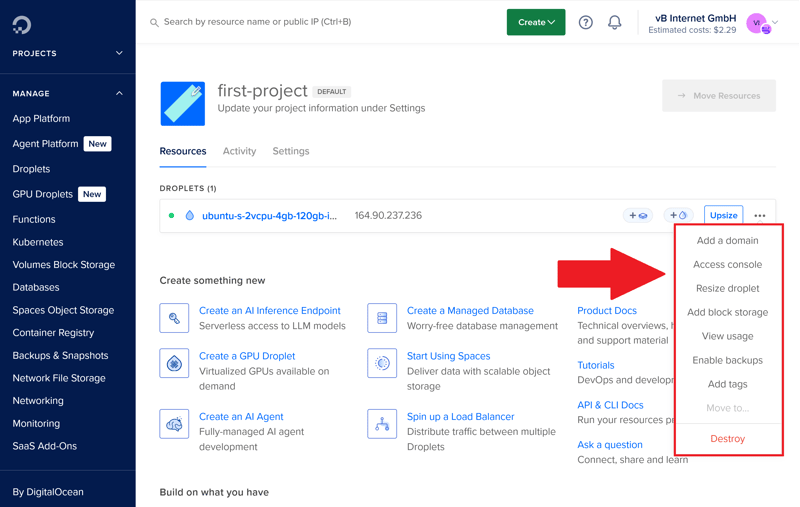
Quick access via the server action menu.
Within a Droplet project, the second sidebar contains only management features for your VPS. On the main page of each Droplet, you'll also find monitoring for bandwidth, CPU, and SSD usage. However, you can only view the metrics for the past 14 days.

The VPS menu contains all the important features.
DigitalOcean offers two types of automatic backups, which are not active by default:
- 1.
Weekly backups with a retention period of four weeks
- 2.
Daily backups that are kept for seven days
Both options incur additional charges and are calculated proportionally based on your plan. The more powerful your Droplet, the higher the price.

Daily and weekly automatic backups.
Snapshots, which are manually created images of the current system state, also cost extra at DigitalOcean. The price is based on the storage space used per month. The provider recommends shutting down the server before creating a snapshot, but this isn't strictly required.
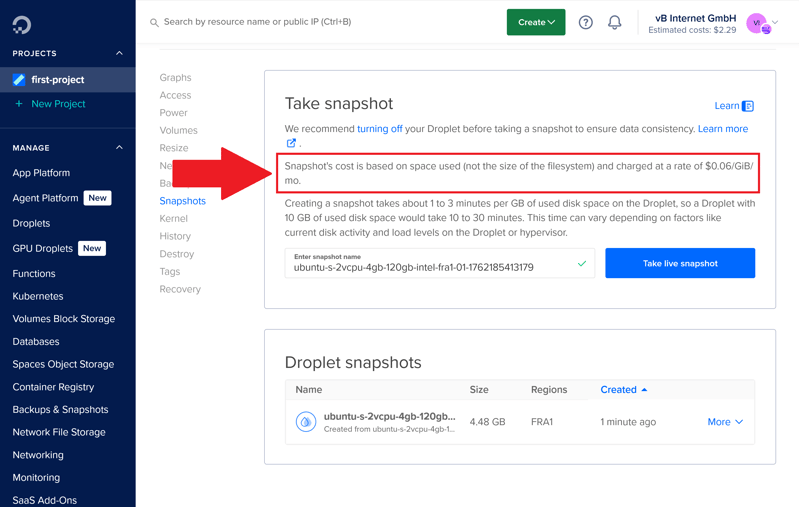
Snapshots cost extra.
Recovery System and Firewall
The recovery system offers significantly more options than many other hosting providers. For example, you can decide whether the VPS boots from a recovery ISO or from the internal hard drive on the next startup. This is helpful for fixing kernel errors or repairing damaged file systems.
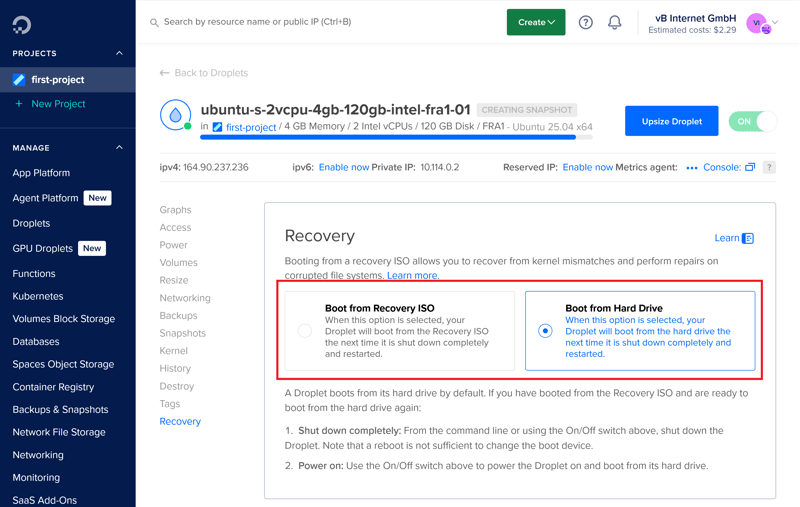
Server recovery at DigitalOcean.
For the firewall configuration, you create your own rules for incoming and outgoing traffic and decide which ports and protocols should be allowed or blocked for IPv4 and IPv6.
Storage and Scaling
You can set up additional storage space through volumes with 100, 500, or 1,000 GB, or in a custom size starting at 1 GB. These network-based block storage volumes are flexibly moved between Droplets, expanded, or backed up as disk images. Only one Droplet can access the block storage at a time.
Setup can be handled automatically if you like, including formatting and mounting to the file system. Alternatively, you configure the storage manually.
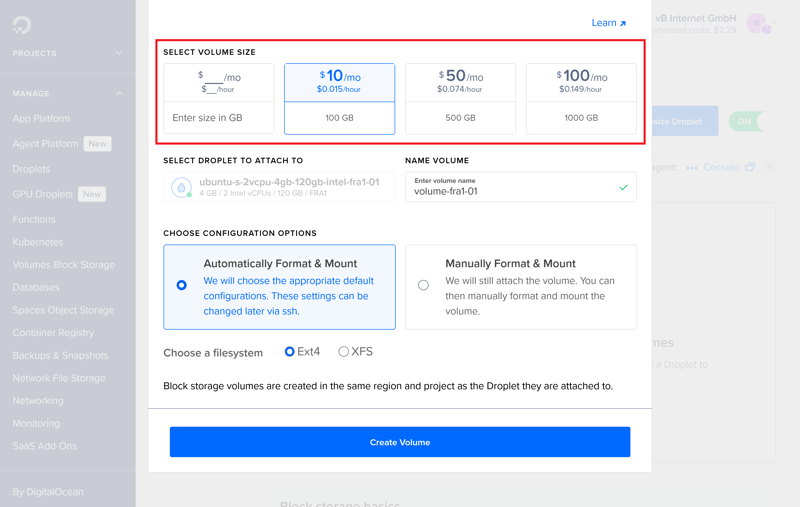
Expanding your VPS storage.
Scaling your VPS is also flexible: you either adjust CPU and RAM separately or expand SSD storage at the same time. Downgrading the SSD size is not possible.
Switching between plan categories, for example, from a Basic Droplet to a storage-optimized model, is viable. Before switching, DigitalOcean recommends creating a snapshot.
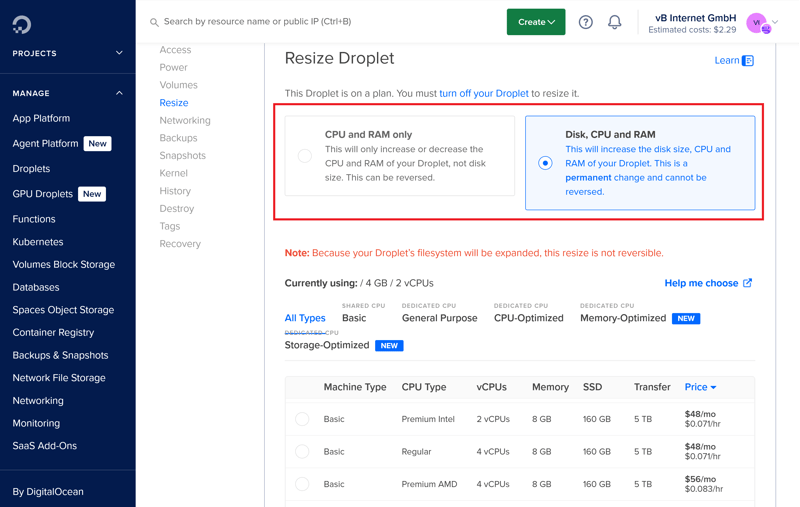
VPS scaling is a core feature at DigitalOcean.
According to DigitalOcean, the estimated downtime during the resize process is about one minute per GB of used storage. In practice, the downtime is often much shorter. After scaling, you'll need to restart your VPS. The new plan and its associated costs take effect immediately after that.
Here's how DigitalOcean's server features compare to other providers:
 DigitalOcean |  Hetzner |  Hostinger |  OVH |  IONOS |  GoDaddy |  Contabo | |
|---|---|---|---|---|---|---|---|
Rescue system | ✓ | ✓ | ✓ | ✓ | ✗ | ✓ | ✓ |
Web console | ✓ | ✓ | ✓ | ✓ | ✓ | ✓ | ✗ |
Monitoring | ✓ | ✓ | ✓ | ✓ | ✓ | ✓ | ✗ |
Backups | ✓ | ✓ | ✓ | ✓ | ✓ | ✓ | ✓ |
Snapshots | ✓ | ✓ | ✓ | ✓ | ✓ | ✗ | ✓ |
Scaling | ✓ | ✓ | ✓ | ✓ | ✓ | ✓ | ✓ |
Firewall | ✓ | ✓ | ✓ | ✓ | ✓ | ✗ | ✗ |
Total | 7 | 7 | 7 | 7 | 6 | 5 | 4 |
DigitalOcean's server management is impressively comprehensive and practical. You handle even complex management tasks directly in the dashboard without any workarounds. At the same time, you can adjust resources like CPU, RAM, or storage at any time, keeping your VPS flexible when requirements change.
For beginners, the sheer number of options can be quite intimidating. DigitalOcean doesn't offer guided setup solutions and assumes you have basic technical knowledge. If you're working with a VPS for the first time, you'll face a steep learning curve with DigitalOcean.
Performance
| CPU benchmark | Single-Core: 954 Multi-Core: 1,652 | 2/15 |
| RAM benchmark | 18,921 MiB/sec | 0/5 |
| Disk benchmark | 115,800 IOPS | 4/5 |
| Network benchmark | 6,970 MBit/s | 5/5 |
In our performance test, we measure how powerful virtual servers are, examining the performance of all providers in our comparison across five key areas:
- 1.
Single-core performance: How quickly does a single CPU core process tasks?
- 2.
Multi-core performance: How well does the server scale with parallel tasks?
- 3.
Memory speed: How quickly can the RAM process data?
- 4.
SSD performance: How many input/output operations can the SSD handle per second?
- 5.
Network connectivity: How fast does the server send and receive data?
These values help determine whether a server is only suitable for simple web projects or can reliably handle more demanding applications.
Here's how we conduct our VPS benchmarks:

Low Single-Core Performance
In our single-core test, DigitalOcean only scores 954 points, placing it ninth out of eleven. The median score in our comparison is 1,168 points.
Programs that rely heavily on a single core, such as traditional web applications or many content management systems, can run noticeably slower than with most other hosts.
| Geekbench 6 (Single Core) | |
|---|---|
| 1,771 |
| 1,468 |
| 1,442 |
| 1,105 |
| 1,071 |
| 954 |
| 482 |
Last Place for Multi-Core Performance
DigitalOcean also performs poorly when it comes to parallel processing. With 1,652 points, the provider ranks last in our comparison. If you run many processes simultaneously, such as database queries or server-side logic, you'll notice the weak performance.
| Geekbench 6 (Multi Core) | |
|---|---|
| 7,945 |
| 7,159 |
| 6,177 |
| 5,476 |
| 1,987 |
| 1,978 |
| 1,652 |
Last Place for RAM Performance
The pattern continues with random access memory. DigitalOcean achieves 18,921 MiB/s and lands in last place once again. The median is 77,369 MiB/s, representing a huge gap. Applications that move a lot of data between the processor and memory could run noticeably slower here.
| stream copy | |
|---|---|
| 117,934 MiB/sec |
| 105,374 MiB/sec |
| 86,477 MiB/sec |
| 56,064 MiB/sec |
| 47,490 MiB/sec |
| 36,342 MiB/sec |
| 18,921 MiB/sec |
Fast SSD Performance
Disk performance is a different story. The VPS achieves 115,800 IOPS for small 4K operations, securing second place in our review. The median is 57,700 IOPS. The strong SSD performance benefits database-driven applications and content platforms with many small files.
| fio (Total IOPS, Block Size 4k) | |
|---|---|
| 120,300 IOPS |
| 115,800 IOPS |
| 100,700 IOPS |
| 57,700 IOPS |
| 52,500 IOPS |
| 40,000 IOPS |
| 21,400 IOPS |
High Network Throughput
The network connection is also impressive. With 6,970 Mbit/s, DigitalOcean takes third place. The median is 5,020 Mbit/s. This ensures fast loading times, stable connections, and quick data transfers, especially for modern web services.
| iperf (Receive Speed, IPv4, London) | |
|---|---|
| 6,970 MBit/s |
| 6,220 MBit/s |
| 5,020 MBit/s |
| 4,810 MBit/s |
| 1,950 MBit/s |
| 986 MBit/s |
| 292 MBit/s |
Unfortunately, the performance test results are disappointing. The CPU and RAM scores are well below average, even though prices are far from entry-level.
If you mainly serve data and don't require high computing power, DigitalOcean might work for simple websites or smaller projects. However, for many web applications, data-heavy processes, or parallel workloads, this host isn't a good choice. It simply lacks the necessary performance reserves.
Costs
| Price 8 vCPU | $96.00 | 0/7 |
| Price 16 GB RAM | $96.00 | 0/7 |
| Price 250 GB SSD | $96.00 | 0/7 |
| Price 50 TB traffic | $6.00 | 2/4 |
| Backup costs | $4.80 | 1/3 |
| Billing | Hourly billing | 2/2 |
To help you compare prices across different VPS providers, we use our own rating system. We compare prices for five specific scenarios:
- 1.
The cheapest VPS with at least 8 vCPUs
- 2.
The cheapest VPS with at least 16 GB RAM
- 3.
The cheapest VPS with at least 250 GB SSD storage
- 4.
The cost of 50 TB of monthly data transfer
- 5.
The price of automatic backups.
We only evaluate regular list prices, including VAT or sales tax, as listed on provider websites. Short-term promotions or new customer discounts are not included.
Here's how DigitalOcean's costs compare to other providers:
| 8 vCPU | 16 GB RAM | 250 GB SSD | 50 TB Traffic | Backup | |
|---|---|---|---|---|---|
| $9.00 | $9.00 | $9.00 | $2.00 | $7.00 |
| $12.75 | $12.75 | $22.08 | $4.20 | $0.00 |
| $14.09 | $19.59 | $19.59 | $7.59 | $5.62 |
| $19.99 | $9.99 | $19.99 | $7.99 | $0.00 |
| $20.80 | $12.00 | $3.96 | $4.95 | $7.34 |
| $64.99 | $44.99 | $64.99 | $16.99 | $0.00 |
| $96.00 | $96.00 | $96.00 | $6.00 | $4.80 |
DigitalOcean's VPS Plans
DigitalOcean offers a wide range of VPS plans that vary significantly in performance and resource allocation. Depending on your use case, you can choose between instance types with shared or dedicated CPUs. Options range from small entry-level solutions to powerful enterprise variants:
vCPUs: DigitalOcean provides between 1 and 48 virtual CPU cores. Most plans use dedicated vCPUs. Only the Basic Droplets use shared CPU resources.
Memory: RAM ranges from 1 to 384 GB. While Basic Droplets allow flexible configurations with different RAM-to-vCPU ratios, the specialized product lines offer fixed memory ratios.
Storage: Depending on the Droplet type, NVMe storage ranges from 25 GB to 7 TB. Storage-Optimized Droplets offer up to 225 GB SSD capacity per vCPU.
Network & Traffic: Each Droplet includes at least 500 GiB per month of free outbound traffic, with higher-tier plans offering significantly more. Premium plans also provide upload speeds of up to 10 Gbit/s.
Billing: The host bills Droplets by the hour. Prices are capped at a monthly maximum of 672 hours.
Here's an overview of DigitalOcean's VPS plans:
| Basic 1 vCPU / 0.5 GB RAM | Basic 1 vCPU / 1 GB RAM | Basic 1 vCPU / 2 GB RAM | |
|---|---|---|---|
| Monthly price | $4.00 | $6.00 | $12.00 |
| Contract period (months) | 0 | 0 | 0 |
| Performance | |||
| Storage | 10 GB | 25 GB | 50 GB |
| RAM | 0.5 GB | 1 GB | 2 GB |
| Cores | 1 | 1 | 1 |
| Dedicated CPU cores | ✗ | ✗ | ✗ |
| Features | |||
| Server type | VPS | VPS | VPS |
| Operating system | Linux | Linux | Linux |
| Managed server | ✗ | ✗ | ✗ |
| SSD storage | ✓ | ✓ | ✓ |
Performance Range and Scaling
DigitalOcean offers an exceptionally wide range of VPS plans with fine gradations in CPU, RAM, and storage. The following overview highlights some typical packages to illustrate common use cases and requirements:
Category | Plan | Specs | Recommendation |
|---|---|---|---|
Beginner | Basic 1 vCPU / 1 GB | 1 vCPU, 1 GB RAM, 35 GB SSD | For small websites, simple applications, or test scenarios. |
Basic 2 vCPU / 4 GB | 2 vCPUs, 4 GB RAM, 120 GB SSD | For small CMS, internal tools, or development environments. | |
All-Purpose | General Purpose 4 vCPU / 16 GB | 4 vCPUs, 16 GB RAM, 50 GB SSD | For typical business projects, SaaS, or APIs. |
General Purpose 8 vCPU / 32 GB | 8 vCPUs, 32 GB RAM, 100 GB SSD | For applications with balanced CPU and memory needs. | |
CPU-Focused | CPU-Optimized 8 vCPU / 16 GB | 8 vCPUs, 16 GB RAM, 100 GB SSD | When you need consistent CPU power, such as for streaming or build processes. |
CPU-Optimized 16 vCPU / 32 GB | 16 vCPUs, 32 GB RAM, 200 GB SSD | For compute-intensive services with steady workloads. | |
RAM-Focused | Memory-Optimized 4 vCPU / 32 GB | 4 vCPUs, 32 GB RAM, 100 GB SSD | When applications need to hold large amounts of data in RAM. |
Memory-Optimized 16 vCPU / 128 GB | 16 vCPUs, 128 GB RAM, 400 GB SSD | For large in-memory databases or JVM-based applications. | |
Storage-Focused | Storage-Optimized 4 vCPU / 32 GB | 4 vCPUs, 32 GB RAM, 600 GB SSD | For database-heavy systems with lots of read/write operations. |
Storage-Optimized 16 vCPU / 128 GB | 16 vCPUs, 128 GB RAM, 2,340 GB SSD | For data-intensive applications with high I/O demands. |
DigitalOcean offers a range of plans that few other hosts can match. You can configure exactly the resources your project needs right now, with flexibility and precision. This makes the platform especially appealing if you want full control and predictable costs.
However, this freedom comes at a price: DigitalOcean is one of the most expensive providers in our review. Even basic packages usually cost more than the competition.
Reliability & Support
| Own documentation & FAQ | Very comprehensive | 3/3 |
| Email support | Extremely fast | 3/3 |
| Phone support | Not available | 0/3 |
| Live chat | Paid | 0/3 |
| Customer feedback from the web | Very positive | 7/8 |
DigitalOcean offers four support tiers. The free Starter package provides you with access to comprehensive documentation, the community, and the ticket system, but it doesn't include dedicated support contacts.
Direct contact via live chat, Slack, or video call is only available with paid support packages. DigitalOcean doesn't offer a traditional phone hotline.

The four support tiers compared.
Response time depends on the plan you choose. According to the provider, it can take up to 24 hours to get a response with the Starter plan. On average, support cases are handled within 48 hours. In our review, we received a response to a simple ticket request in just seven minutes, much faster than advertised.
Detailed Documentation
DigitalOcean's documentation is very comprehensive. The Droplets section alone contains around 50 articles, many with clear step-by-step instructions. The technical quality is high. However, images and other visual aids are often missing.
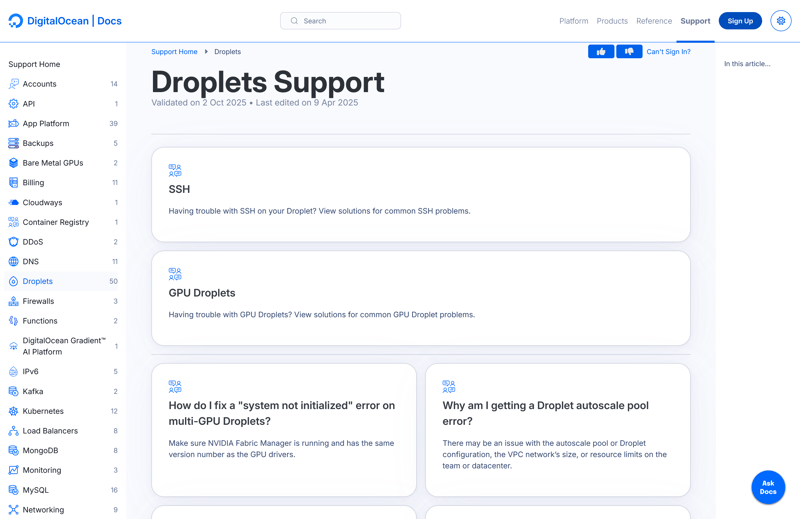
DigitalOcean's documentation.
DigitalOcean's community is a valuable addition to the official support channels. Over 8,000 tutorials cover a wide range of administrator and developer topics. There's also an active forum. If you're using the free support package, you might get help faster there than through the official ticket system.
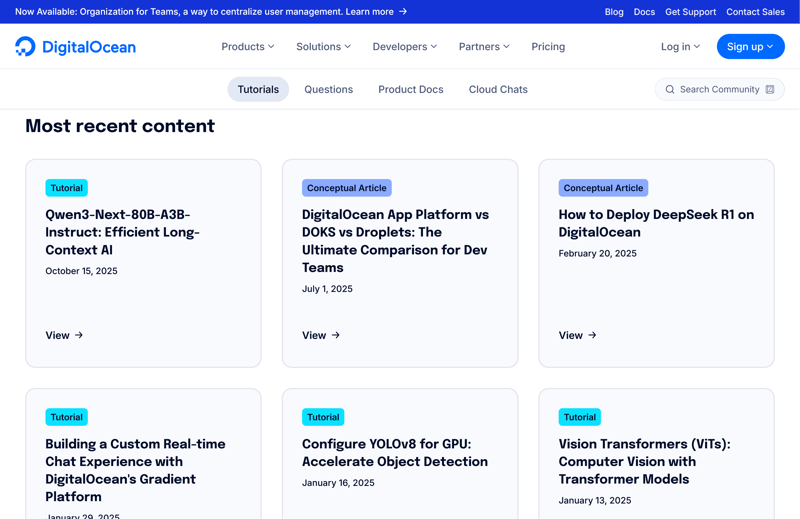
Many tutorials are available in the community section.
Satisfied Customers
In customer reviews, DigitalOcean's support receives mostly positive ratings. Many praise the fast response times, technical expertise, and the commitment of the support staff, even with more complex problems. There's occasional criticism too, for example, about security measures that some find too restrictive.
If you can troubleshoot problems yourself, DigitalOcean's comprehensive documentation provides plenty of help. The content is technically sound and covers nearly every common topic. In this case, the free Starter package is more than enough.
It's a different story if you want direct contact with support. That's when it gets expensive. Only the higher-priced support packages offer reliable response times and dedicated support contacts.
Conclusion
DigitalOcean offers a lot, but it also demands a lot in return. No other provider in our comparison offers as many configuration options, but this flexibility comes with complexity. This in turn makes their services less suitable for beginners.
The high costs don't align with the performance. While new VPS instances are set up quickly and are easily equipped with the right software, the CPU and RAM performance is disappointing in our tests. You'll pay extra for backups and advanced support.
DigitalOcean is really only worth it for developers who are willing to accept these drawbacks in exchange for a platform tailored to their specific needs.

DigitalOcean User Experiences
What do users think of DigitalOcean? We looked at reviews on various platforms and compiled the most frequently mentioned points:
Easy VPS Scalability
Many users praise how easily the infrastructure adapts to growing requirements. New services or additional resources can be added quickly.Developer-Focused
Some reviewers highlight that DigitalOcean is primarily oriented toward developers and their needs.Strong Documentation
The comprehensive documentation with many tutorials and guides is well-received by customers. They can solve many problems on their own without relying on support.Integration and Automation
The host offers a reliable CLI and extensive API capabilities that help with automation and integration into workflows.
Complexity With Larger Cloud Projects
For very complex cloud setups, DigitalOcean hits its limits, according to user feedback. Compared to AWS, Google Cloud, or Azure, the platform is less flexible.
Alternatives to DigitalOcean
Decided against DigitalOcean? The following providers could be a viable alternative:
OVH, a France-based provider, is significantly cheaper than DigitalOcean. You also won't pay extra for standard backups and snapshots with this host.
Hetzner also offers plenty of options for configuration and management. Scaling is flexible with this German host as well.
IONOS performed better than DigitalOcean in benchmarks in this price category. If CPU and RAM performance matter more to you than custom server configuration, this provider is worth a look.